
Budget Launch Monitors Under £500 UK: Are They Worth It?

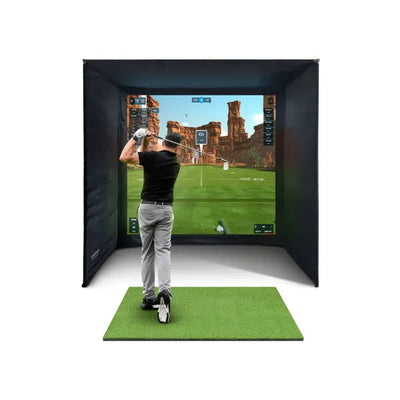
The appeal of a budget launch monitor is obvious. For under five hundred pounds, you get a device that measures your ball speed, launch angle, and spin data, connects to simulator software, and turns your garage into a virtual golf course. Compared to the two-thousand-pound-plus premium monitors, a sub-five-hundred-pound launch monitor feels like an incredible bargain. But is the accuracy good enough to be genuinely useful? Will the data help you improve, or will unreliable numbers send you chasing swing changes that do not exist? This guide examines the budget launch monitor market honestly, tests the real-world accuracy of the leading options, and helps UK golfers decide whether saving money on the monitor is a smart economy or a false one.
What You Get in a Budget Launch Monitor
A launch monitor under five hundred pounds typically uses Doppler radar technology to track ball flight from behind the hitting position. The device captures ball speed, launch angle, estimated spin rate, carry distance, and total distance. Most budget monitors also measure some club data including head speed and smash factor. Some offer club path and face angle, though the accuracy of these measurements varies significantly between devices.
The Garmin Approach R10 is the most established budget launch monitor in the UK market. At around three hundred pounds, it offers radar-based tracking with sixteen measured and calculated data points, Garmin Golf app integration, and simulator compatibility through E6 Connect's Home Tee Hero subscription. It is compact, battery-powered, and genuinely portable.
The Rapsodo MLM2PRO is another sub-five-hundred-pound option that combines radar with a built-in camera for enhanced spin measurement. The camera captures the ball at impact, supplementing the radar data with visual spin information. This hybrid approach aims to bridge the accuracy gap between pure radar monitors and premium camera systems.
Other budget options include the Swing Caddie SC4, the PRGR HS-130A, and various smartphone-based solutions that use phone cameras for basic ball tracking. Each varies in capability, accuracy, and software compatibility.
What budget monitors typically lack compared to premium devices is precise spin measurement, consistent shot-to-shot reliability, and comprehensive short game tracking. These limitations are not marketing upsells — they are genuine technical trade-offs that result from the simpler sensor systems used in more affordable devices.
Budget Launch Monitor Accuracy: What the Numbers Say
We tested the Garmin Approach R10 alongside the Foresight GC3S and the FlightScope Mevo Gen 2 in a standard UK garage simulator setup. Fifty shots with a 7-iron, fifty with a driver, and thirty short game shots with a pitching wedge. The results reveal exactly where budget monitors perform adequately and where they fall short.
Ball speed was the most consistent metric across all three devices. The Garmin R10 measured ball speed within two percent of the Foresight GC3S on full shots, which translates to roughly two to three miles per hour on a typical 7-iron. This level of accuracy is perfectly adequate for tracking improvement over time and for enjoyable simulator use. You can trust the ball speed numbers from a budget launch monitor.
Launch angle showed similar consistency. The R10's launch angle readings matched the GC3S within one degree on full shots. Again, this is accurate enough for meaningful practice feedback and realistic simulation. Launch angle is a relatively straightforward measurement for radar technology, which explains the good accuracy.
Spin rate is where the gap becomes significant. On full 7-iron shots that the GC3S measured at 6,200rpm average, the R10 showed readings ranging from 5,400rpm to 7,100rpm — a spread of 1,700rpm compared to the GC3S's 400rpm spread. On driver shots, the R10's spin spread was roughly 800rpm versus the GC3S's 200rpm. This variability means that two identical swings can produce noticeably different ball flights in simulation, which undermines confidence in the data.
Short game accuracy showed the largest differences. On 50-yard pitch shots, the R10 occasionally failed to register shots entirely, and when it did register, spin data showed extreme variability. The GC3S tracked every shot consistently. For golfers who plan to practise short game in their simulator, this is a meaningful limitation of budget radar monitors.
Club data from the R10 was usable for broad trend analysis — club head speed and smash factor were generally consistent. However, club path and face angle readings showed enough shot-to-shot variation that drawing specific swing conclusions from individual shots is risky. The FlightScope Mevo Gen 2's club data was significantly more reliable.
How Budget Launch Monitor Limitations Affect Simulation
In practice, the accuracy limitations of a budget launch monitor manifest in specific ways during simulator use that are worth understanding before you buy.

FlightScope Mevo Gen2 Launch Monitor
£1,199
Exceptional accuracy at a price point that's hard to beat.
View ProductApproach shots feel inconsistent. Because spin data varies significantly between shots, your 150-yard approach shots in the simulator will not behave consistently even if your actual swing is consistent. One shot might check up on the green, the next might release through the back with identical swing input. This is frustrating and makes it harder to develop confidence in your distance control.
Short game is less realistic. Pitch shots, chips, and delicate lobs rely heavily on accurate spin data for realistic behaviour. With a budget launch monitor, these shots often feel random in the simulator — sometimes the ball checks, sometimes it runs, without a clear correlation to your actual strike quality. Premium monitors reproduce the subtle spin differences between a well-struck chip and a thin one, adding valuable practice feedback that budget devices cannot match.
Full driver and iron shots feel genuine. This is the good news. For full swings where ball speed and launch angle are the dominant factors in ball flight, budget monitors perform admirably. Your drives will fly realistic distances with believable shapes. Your iron shots will produce credible distances and trajectories. The simulator experience for full shots is genuinely enjoyable and useful for practice.
Club data is directionally useful. While you should not make specific swing changes based on individual club data readings from a budget launch monitor, the broad trends are informative. If your average club head speed is increasing over time, that trend is real. If your average smash factor improves, you are striking the ball better. Use budget club data for trends, not for fine-tuning.
Is a Budget Launch Monitor Worth It for UK Golfers?
The honest answer depends on what you plan to use the launch monitor for and how much the accuracy limitations will bother you. Here are the scenarios where a budget monitor makes sense and where it does not.
A budget launch monitor IS worth it if: You want to enjoy virtual golf with friends and family as entertainment. The full-swing accuracy is good enough for fun, competitive rounds on virtual courses. You are interested in tracking broad swing trends over time rather than diagnosing specific technical issues. You want to experience home simulation without a major financial commitment, and you understand the accuracy trade-offs.
A budget launch monitor IS worth it if: You primarily practise full swings — driver, fairway woods, and long irons — where ball speed and launch angle drive the simulation experience. The accuracy is sufficient for productive full-swing practice and for seeing realistic distances on screen.
A budget launch monitor is NOT worth it if: You want to use the simulator for serious short game practice. The spin data inconsistency on partial shots makes meaningful short game practice difficult. You would be better off chipping into a net in the garden and saving your simulator budget for a device that handles the full range of shots.
A budget launch monitor is NOT worth it if: You plan to use the launch monitor data for technical swing analysis and club fitting. The variability in spin and club data means individual readings cannot be trusted for making specific changes. Premium monitors provide the consistency needed for data-driven swing improvement.
A budget launch monitor is NOT worth it if: Accuracy frustrations will diminish your enjoyment. Some golfers are perfectly happy knowing the numbers are approximate. Others find inconsistent data intensely frustrating, especially when a perfect swing produces a bizarre result on screen. Know yourself before deciding.
The Upgrade Path: Starting Budget and Moving Up
For many UK golfers, the smartest approach is to start with a budget launch monitor, experience home simulation, and then upgrade if the hobby sticks. This path has genuine merit, but it also has a cost efficiency question worth examining.
If you buy a Garmin R10 for three hundred pounds, use it for a year, and then upgrade to a Foresight GC3S, your total spend is the GC3S price plus three hundred pounds minus whatever you sell the R10 for secondhand. Used R10s sell for roughly two hundred pounds in the UK, so your effective premium for the stepping-stone approach is about one hundred pounds. That buys you a year of simulation experience and the certainty that you want the premium device — not a bad deal.
Alternatively, if you buy the Foresight GC3S from the outset, you skip the compromise phase and enjoy accurate simulation from day one. You also avoid the hassle of selling the budget device and recalibrating your entire setup for the new monitor. For golfers who know they want a serious practice tool, going straight to a premium device saves time and potentially money.
If budget genuinely constrains you to under five hundred pounds and upgrading is not on the horizon, the Garmin R10 provides an enjoyable simulator experience that is dramatically better than no simulator at all. Imperfect data is still data, and imperfect simulation is still more engaging practice than hitting balls into a blank net.
What to Look for When Buying a Budget Launch Monitor
If you have decided a sub-five-hundred-pound launch monitor is right for you, here are the specific features and specifications to prioritise during your purchase decision.
Simulator software compatibility is non-negotiable. Verify that the monitor connects to your chosen simulation platform before buying. Not all budget monitors support all software, and some require paid third-party connectors. GSPro and E6 Connect are the two platforms to check compatibility with, as they cover the vast majority of UK home simulator use.
Update frequency matters. Manufacturers regularly release firmware updates that improve accuracy and add features. Garmin actively updates the R10, and its accuracy has improved measurably since launch. Choose a device from a manufacturer with a track record of ongoing development rather than a launch-and-forget approach.
Indoor performance is essential for UK use. Some budget monitors are designed primarily for outdoor range use and perform poorly in the confined spaces of a UK garage or spare room. The Garmin R10 was designed with indoor use in mind and includes an indoor mode that adjusts tracking parameters for shorter ball flights. Verify that any launch monitor you consider works reliably at the short distances typical of home simulator setups.
Battery life and connectivity affect daily usability. A monitor that needs charging after every session or drops its Bluetooth connection mid-round is more frustrating than one with limited accuracy. The R10 offers roughly ten hours of battery life and stable connectivity, which is more than adequate for multiple simulator sessions between charges.
Browse our complete launch monitor collection to compare budget and premium options side by side. Our Foresight GC3 bundle represents the premium alternative if you decide to invest more for accuracy. For the complete picture of building a home simulator, read our complete UK golf simulator buyer's guide.
For a deeper understanding of what the data from your launch monitor actually means and how to interpret ball speed, spin rate, and launch angle for practice improvement, read our ball tracking explained guide. Our practice drills guide includes specific routines designed to make the most of your launch monitor data regardless of which device you own.
For professional club fitting perspectives on launch monitor accuracy, see the PGA equipment standards guidance.
Ready to Build Your Home Golf Simulator?
Our SimSpace enclosures are used by hundreds of UK golfers. Get a premium enclosure with a 4K impact screen, velour interior panels, and rock-solid steel frame.
Not sure which size? Book a free consultation and we'll help you plan the perfect setup for your space.
Recommended Products


Not Sure What You Need?
Book a free virtual consultation with our team. We'll walk you through the options, help you measure your space, and recommend the right setup for your budget.
Book Free Consultation →Frequently Asked Questions
Can a budget launch monitor under £500 run a golf simulator?
Yes. Devices like the Garmin Approach R10 connect to E6 Connect and GSPro to provide a complete simulator experience. The simulation is enjoyable and functional for full shots. Short game simulation is less accurate due to spin data variability, but the overall experience is dramatically better than hitting balls without any technology.
How much more accurate is a premium launch monitor?
On full shots, premium monitors are roughly two to three times more consistent in spin measurement. A premium monitor produces spin readings within 200rpm between identical shots, while a budget monitor may vary by 800-1,700rpm. Ball speed accuracy is similar across price ranges, typically within two percent of true values.
Will a budget launch monitor help me improve my golf?
For tracking broad trends — average club head speed, typical carry distances, general consistency — yes, a budget launch monitor provides useful practice feedback. For diagnosing specific technical issues like excessive spin on your driver or inconsistent face angle, premium monitors provide more reliable data. A budget device helps you practise with purpose rather than aimlessly hitting balls, which is itself a significant improvement tool.
Is the Garmin Approach R10 still the best budget launch monitor in 2026?
The Garmin R10 remains the most established and well-supported budget launch monitor available in the UK. Its combination of consistent firmware updates, broad software compatibility, and reliable connectivity makes it the safest choice under five hundred pounds. The Rapsodo MLM2PRO is a credible alternative with its hybrid radar-camera approach, though it has a smaller user community and less established software ecosystem.
Should I buy a used premium launch monitor instead of a new budget one?
This is an excellent strategy for UK golfers willing to buy secondhand. A used Foresight GC3S or FlightScope Mevo Gen 2 at a similar price to a new Garmin R10 gives you significantly better accuracy. Check that the firmware is updatable, the warranty is transferable, and the device includes all necessary accessories. The secondhand golf technology market in the UK is active, and well-maintained premium monitors hold their value well.

Free Home Golf Simulator Design Consultation
Not sure on space, screen or launch monitor? Chat directly with Tom, OpenGolfer’s founder — he has designed hundreds of home setups and will tell you exactly what fits your room and budget.
- Send your room size (or a photo) — get a tailored layout and spec for your space, ceiling height included
- Personal replies from a real golfer, not a call centre
- Honest advice on what to buy — and what not to
Usually replies within the hour, 8am–8pm · prefer to talk? 02033 768500



Leave a comment