
Home Golf Simulator Humidity & Condensation Guide UK

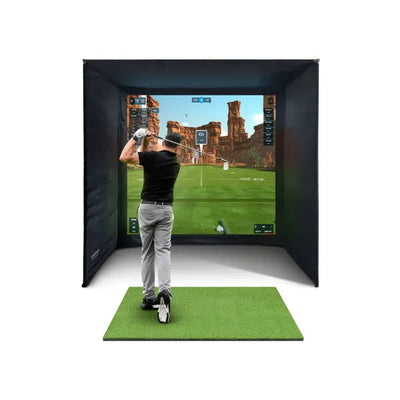
If you are setting up a home golf simulator in a UK garage, outhouse, or garden building, there is one silent threat that can destroy your equipment: moisture. The UK damp climate means condensation, humidity, and outright damp are constant battles in unheated outbuildings. Left unchecked, moisture corrodes electronics, warps enclosure frames, damages impact screens, and can ruin a projector in a single winter.
This guide covers everything UK home golf simulator owners need to know about managing humidity and condensation. From understanding why it happens to choosing the right dehumidifier and monitoring system, this is your complete defence plan against damp.

Why Humidity Is a Major Threat to Your Home Golf Simulator
Electronics and moisture do not mix. Your home golf simulator contains thousands of pounds worth of sensitive equipment: launch monitors with precision optics, projectors with delicate lenses and hot bulbs, PCs with circuit boards and fans that draw air (and moisture) directly over components. Even the enclosure frame and impact screen degrade faster in consistently damp conditions.
The UK climate makes this a near-universal problem for garage and outbuilding installations. Average relative humidity in the UK ranges from 70-90 percent outdoors, and unheated enclosed spaces often see even higher levels. At 80 percent or above relative humidity, condensation forms readily on cold surfaces, and your equipment has plenty of cold metal and glass surfaces.
What Humidity Does to Simulator Components
- Launch monitor optics: Moisture on camera lenses causes fogging, reducing accuracy. Prolonged exposure can lead to fungal growth on optical elements (lens fungus), which is expensive or impossible to repair.
- Projector: Condensation on the lens degrades image quality. Moisture inside the projector can cause electrical shorts, particularly dangerous given the high voltages involved.
- PC components: Corrosion on circuit boards, connector pins, and PSU components. RAM and GPU contacts are particularly vulnerable.
- Impact screen: Fabric retains moisture, leading to mildew, odour, and material degradation.
- Steel enclosure frame: Rust and corrosion at joints and bolt holes, weakening the structure over time.
- Hitting mat: Mould growth underneath and within the mat backing, creating health hazards and unpleasant smells.

Understanding Condensation in Your Home Golf Simulator Space
Condensation occurs when warm, moist air meets a cold surface. In a UK garage or outbuilding used as a home golf simulator room, this happens in two common scenarios:
Scenario 1: Cold Room, Warm Air Enters
You open the garage door on a mild, humid day. Warm, moisture-laden air floods into the cold space. The moisture in the air condenses on cold surfaces: the metal enclosure frame, the projector body, the PC case. This is the same phenomenon that makes a cold glass of water sweat on a warm day.
Scenario 2: Heating a Cold Room Quickly
You turn on a heater to warm your simulator space before playing. The air warms up quickly, but the surfaces (walls, floor, equipment) stay cold for much longer. The warm air can hold more moisture, but when it contacts those cold surfaces, it drops that moisture as condensation. This is why you often see condensation on windows when you heat a room.
The Dew Point
The dew point is the temperature at which air becomes saturated and moisture condenses. In the UK, the dew point is typically between 5 and 15 degrees Celsius depending on the season. If any surface in your home golf simulator space drops below the dew point while the air temperature is above it, you will get condensation on that surface.
Ideal Humidity Levels for a Home Golf Simulator
For the longevity of your equipment and comfortable playing conditions, target these humidity levels:
- Ideal range: 40-60 percent relative humidity
- Acceptable range: 35-65 percent relative humidity
- Action required: Below 35 percent (too dry, static electricity risk) or above 65 percent (condensation risk)
- Danger zone: Above 75 percent, where active moisture damage is occurring
For context, an unheated UK garage in winter typically sits at 75-90 percent relative humidity. Without intervention, this is firmly in the danger zone for your equipment.
Dehumidifier Solutions for Your Home Golf Simulator Space
A dehumidifier is the single most important moisture protection investment for any UK home golf simulator installed in a garage or outbuilding. The right dehumidifier can maintain safe humidity levels year-round with minimal intervention.

Compressor Dehumidifiers
These are the most effective option for spaces above 15 degrees Celsius. They work by drawing air over cold coils, causing moisture to condense and drip into a collection tank. Prices range from 100-300 pounds for models suitable for a single-garage space (approximately 15-30 m2).
Recommended features for a home golf simulator space:
- Continuous drain option: A hose connection that lets you drain directly to a floor drain or external outlet, eliminating the need to empty a tank
- Humidistat control: Set your target humidity (55 percent is ideal) and the unit runs automatically
- Timer function: Run the unit for a few hours before your playing session to ensure conditions are optimal
- Quiet operation: Under 45 dB if the dehumidifier will run during play sessions
Desiccant Dehumidifiers
For unheated spaces where temperatures drop below 10 degrees Celsius (common in UK garages during winter), a desiccant dehumidifier is more effective. Unlike compressor models that lose efficiency in cold conditions, desiccant units work by passing air over a moisture-absorbing material and maintain effectiveness down to 1 degree Celsius.
Desiccant units are typically slightly more expensive to run but are the only reliable option for cold garages. Budget 150-350 pounds for a quality unit.
Running Costs
At current UK electricity rates (approximately 28p per kWh), typical running costs are:
- Compressor dehumidifier: 0.05-0.10 pounds per hour (200-350W)
- Desiccant dehumidifier: 0.10-0.18 pounds per hour (400-650W)
- Monthly cost (running 8 hours per day): 12-44 pounds depending on type and usage
For broader running costs including electricity for all simulator equipment, see our complete running costs guide.
Moisture Monitoring for Your Home Golf Simulator
You cannot manage what you do not measure. Installing a digital hygrometer (humidity meter) in your simulator space is essential. Modern smart hygrometers cost as little as 15-25 pounds and can send alerts to your phone when humidity exceeds your threshold.
Recommended monitoring approach:
- Primary sensor: Place a hygrometer at equipment level, near the launch monitor or projector
- Secondary sensor: Place one near the floor, where cold air and moisture tend to pool
- Smart alerts: Set alerts for 65 percent or above humidity so you can take action before damage occurs
- Data logging: Some smart sensors log historical data, helping you identify patterns and optimise dehumidifier scheduling
Ventilation and Airflow for a Home Golf Simulator in a UK Garage
Dehumidification alone is not always sufficient. Proper ventilation helps control moisture by exchanging damp indoor air with drier outdoor air (when outdoor conditions are suitable) and preventing stagnant pockets of humid air from forming.
For a comprehensive guide to ventilation, see our ventilation and heating guide.
Key ventilation strategies for a home golf simulator space:
- Passive vents: Install vents at opposite ends of the space (high and low) to encourage natural air circulation
- Extract fan: A humidity-controlled extract fan activates automatically when moisture levels rise
- Avoid opening doors during temperature transitions: Opening the garage door when it is warm outside and cold inside causes the worst condensation events
- Air circulation fan: A simple pedestal fan running during and after play sessions prevents stagnant air pockets

Insulation: The Long-Term Solution for Home Golf Simulator Spaces
For a permanent home golf simulator installation, insulating the space is the most effective long-term moisture management strategy. Insulation keeps surfaces warmer, reducing the temperature differential that causes condensation. It also makes the space more comfortable to play in and reduces heating costs.
Insulation options for UK garages:
- Rigid foam boards (e.g. Celotex or Kingspan): 50-100mm boards on walls and ceiling, covered with plasterboard. Excellent thermal performance and moisture resistance. Budget 500-1,500 pounds for a single garage.
- Spray foam: Professional application, excellent coverage including irregular surfaces. Budget 1,000-2,500 pounds for a single garage.
- Garage door insulation kit: Foam panels that attach to the inside of the garage door. Budget 50-150 pounds. Even this modest step significantly reduces condensation on the door surface.
Insulation works best in combination with a dehumidifier. Together, they create stable, dry conditions year-round, which is exactly what your home golf simulator equipment needs for a long, trouble-free life.
Emergency Moisture Response
If you discover condensation on your equipment or suspect moisture damage:
- Do not power on wet equipment as electricity and moisture cause short circuits
- Wipe visible moisture from all surfaces with a clean, dry microfibre cloth
- Run the dehumidifier at maximum setting with doors closed
- Place silica gel packets near sensitive electronics (launch monitor, projector lens)
- Allow 24-48 hours of drying before powering on any equipment
- Check projector lens and launch monitor optics for fogging or water marks
- Inspect all cable connectors for signs of corrosion (green or white deposits)
If you spot lens fungus (small branching patterns visible on optics), seek professional cleaning immediately as lens fungus spreads and can permanently damage optical elements.
Recommended Home Golf Simulator Bundles for UK Conditions
All of our home golf simulator bundles are designed for UK conditions, with durable enclosures and quality components. The FlightScope Mevo Gen 2 Bundle and Foresight GC3S Bundle both feature robust construction suitable for garage installations. For full purchasing guidance, see our 2026 Buyers Guide.

Frequently Asked Questions
Can I leave my home golf simulator in an unheated garage over winter?
You can, but you must protect it with a desiccant dehumidifier and moisture monitoring. Without intervention, an unheated UK garage in winter will reach 75-90 percent humidity, which causes corrosion and mould. A dehumidifier maintaining 50-55 percent humidity and a waterproof cover for the launch monitor are essential.
What is the best dehumidifier for a home golf simulator garage?
For unheated garages (below 10 degrees Celsius in winter), use a desiccant dehumidifier. For heated or insulated spaces, a compressor dehumidifier is more energy-efficient. Look for continuous drain, humidistat control, and quiet operation. Budget 150-350 pounds for a quality unit.
How do I prevent condensation on my projector lens?
Maintain consistent humidity below 60 percent, avoid rapid temperature changes in the room, and never turn on a cold projector in a warm, humid room. If condensation does form, do not power on the projector. Let it reach room temperature naturally with a dehumidifier running, then wipe the lens gently with a microfibre cloth.
Will insulating my garage eliminate condensation problems for my home golf simulator?
Insulation significantly reduces condensation by keeping surfaces warmer, but it does not eliminate the need for moisture management entirely. The best approach combines insulation with a dehumidifier and humidity monitoring. This three-layer defence keeps conditions stable year-round.
How much does it cost to protect a home golf simulator from humidity?
A basic setup of dehumidifier (150-350 pounds) plus smart hygrometer (15-25 pounds) costs 165-375 pounds. Running costs are 12-44 pounds per month depending on the dehumidifier type and usage. Insulation adds 500-2,500 pounds as a one-time investment but reduces ongoing energy costs. Consider this a small insurance premium on equipment worth thousands.

Free Home Golf Simulator Design Consultation
Not sure on space, screen or launch monitor? Chat directly with Tom, OpenGolfer’s founder — he has designed hundreds of home setups and will tell you exactly what fits your room and budget.
- Send your room size (or a photo) — get a tailored layout and spec for your space, ceiling height included
- Personal replies from a real golfer, not a call centre
- Honest advice on what to buy — and what not to
Usually replies within the hour, 8am–8pm · prefer to talk? 02033 768500



Leave a comment