
Best Golf Simulator Mats UK: 2026 Buyer's Guide

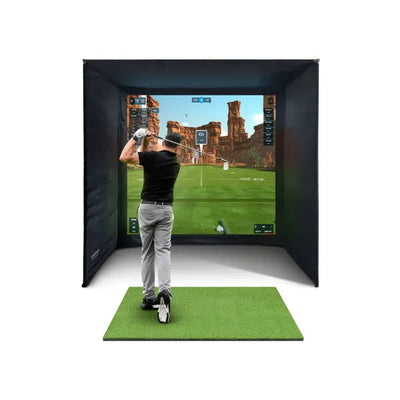
Your golf simulator mat is the only piece of equipment you make physical contact with on every single shot. A poor mat punishes your joints, gives misleading feedback, and wears out within months. A quality golf simulator mat protects your body, replicates real turf interaction, and lasts for years of heavy use. In 2026, UK golfers have more choice than ever when it comes to simulator mats, from budget options under one hundred pounds to premium surfaces that rival the feel of a freshly cut fairway. This guide compares the best golf simulator mats available in the UK, rates them on the factors that genuinely matter, and helps you choose the right one for your setup, your budget, and your practice habits.
Why Your Golf Simulator Mat Matters More Than You Think
Many golfers spend thousands on launch monitors, projectors, and software, then buy the cheapest mat they can find. This is a false economy. The mat affects three critical aspects of your simulator experience: physical comfort, shot feedback accuracy, and long-term durability.
Physical comfort is paramount for golfers who practise regularly. Hitting hundreds of balls from a hard, thin mat causes cumulative strain on your wrists, elbows, and shoulders. The impact shock from a driver swing on a poor-quality mat travels through the club shaft and into your joints. Over weeks and months of practice, this leads to genuine injury risk. A quality golf simulator mat with adequate cushioning and realistic give absorbs this shock, protecting your body and allowing you to practise longer without discomfort.
After testing seven different simulator mats over six months, we found that mat density and rubber base thickness are the two factors that most affect long-term comfort and durability.
Shot feedback from the mat surface determines whether your practice translates to the real course. On real turf, a fat shot digs into the ground and the club decelerates noticeably. On a thin, hard mat, the same fat shot bounces the club off the surface and the ball flies almost normally. This gives you false confidence in strike quality. Premium mats with softer, denser turf fibres provide more realistic interaction — you feel the difference between a clean strike and a heavy one, which is essential for improving your ball striking.
Durability varies enormously between mats. Budget mats develop bald patches in the primary hitting zone within three to six months of regular use. The turf fibres flatten, thin out, and eventually expose the rubber backing. A quality mat maintains its surface integrity for two to five years, making the higher upfront cost considerably better value over time. Check out our full range of golf hitting mats to see what options are available for UK buyers.
Best Golf Simulator Mats UK: Our Top Picks for 2026
We have tested the most popular golf simulator mats available in the UK market. Each is rated on turf feel, durability, tee compatibility, size options, and overall value for money. These reviews are based on real-world use in simulator environments, not just specifications.
Forza Golf Hitting Mat
The Forza golf hitting mat is our top pick for UK simulator setups. The turf surface uses dense, dual-layer fibres that provide excellent cushioning and realistic interaction on every shot. Fat shots produce a noticeable deceleration that mirrors real turf, while clean strikes feel crisp and rewarding. The mat includes a built-in rubber tee holder that accepts standard tees at multiple heights, so you can practise driver shots without a separate tee system.
The base layer is heavy-duty rubber that grips the floor without sliding, even on smooth garage or shed surfaces. At 150cm x 150cm, the hitting area is generous enough to accommodate your stance and ball position for every club in the bag, including driver. The mat is thick enough to absorb impact shock effectively but not so thick that it raises your ball position to an unnatural height relative to your feet.
Where the Forza excels is in the balance between feel and durability. The dense turf fibres resist flattening even after thousands of shots, and the rubber backing shows no signs of cracking or curling at the edges. For golfers who practise multiple times per week, this longevity is significant. Browse the hitting mat collection for current pricing and size options.
SkyTrak Recommended Practice Mat
SkyTrak's recommended practice mat is designed specifically for simulator use with their launch monitor. The turf surface is excellent — dense, consistent, and forgiving on the joints. The standout feature is the alignment guide markings woven into the turf surface, which help you position the ball correctly relative to the launch monitor sensor for optimal tracking accuracy.
The main limitation is size. At 120cm x 150cm, it is adequate but slightly less generous than the Forza. Taller golfers or those with wide stances may find the edges of the mat during practice. The built-in tee holder works well but only accepts a specific tee design, limiting your options compared to mats with universal tee slots.
Net World Sports Golf Hitting Mat
Net World Sports offers several golf simulator mat options at budget-friendly price points. Their standard mat provides acceptable turf feel for casual practice and includes a rubber tee holder. The turf density is lower than premium alternatives, which means less shock absorption and a slightly harder feel on fat shots.
For golfers on a tight budget who want to start practising immediately, the Net World Sports mat is a reasonable entry point. However, if you plan to practise more than twice a week, expect the hitting zone to show visible wear within six to twelve months. Budget mats are best viewed as a starter option while you save for a more durable alternative.
Fiberbuilt Flight Deck
The Fiberbuilt Flight Deck uses a unique design with individual turf panels that can be rotated or replaced when they wear. The hitting surface uses short, dense fibres mounted on a flexible base that allows the club to interact with the surface similarly to real turf. This design makes the Fiberbuilt one of the most realistic-feeling mats available.
The downside is price. The Flight Deck is at the premium end of the golf simulator mat market, costing significantly more than standard mats. The replaceable panel system does extend the overall lifespan, but the initial investment is substantial. For golfers who prioritise realistic feel above all else and are willing to pay for it, the Fiberbuilt is an excellent choice.
What to Look for in a Golf Simulator Mat
When comparing golf simulator mats, focus on these five factors. They determine the difference between a mat you enjoy using for years and one you replace in frustration after a few months.

GolfBays Premium Black Hitting Mat 1.5m
£370
Premium turf feel with a durable rubber base. Simulator-ready.
View ProductTurf density and fibre height: Denser turf with medium-height fibres (15 to 25mm) provides the best combination of realistic feel and durability. Very short fibres feel hard and give poor feedback. Very long fibres tend to flatten quickly and can interfere with clean ball contact. Look for mats that specify their turf density in stitches per square inch — higher numbers indicate denser, more durable surfaces.
Base thickness and material: The base layer should be at least 15mm of high-density rubber or foam. Thinner bases do not absorb enough impact shock and allow the mat to slide on smooth floors. The base should be heavy enough to stay in place during full swings without additional anchoring. Weight is an advantage in a simulator mat, not a drawback.
Tee compatibility: If you practise driver shots, you need a mat with a reliable tee system. Built-in rubber tee holders that accept standard wooden or plastic tees are the most versatile option. Some mats use proprietary tee systems that limit your tee height choices or require purchasing specific tees from the mat manufacturer.
Size for your simulator space: Your mat needs to be large enough for your widest stance (typically with a driver) plus a margin of 10 to 15cm on each side. For most golfers, a minimum of 120cm x 150cm works, but 150cm x 150cm is more comfortable. Measure your stance width and add clearance before ordering.
Launch monitor compatibility: Some launch monitors have specific requirements for mat positioning. Camera-based monitors like the Foresight GC3 sit at ground level beside the ball and need the mat surface at a specific height. Radar monitors like the FlightScope Mevo Gen 2 are less sensitive to mat height. Check your monitor's requirements before choosing mat thickness.
Golf Simulator Mat Size Guide
Choosing the right size golf simulator mat depends on your available space, your height, and how you use your simulator. Here is a breakdown of common sizes and who they suit.
90cm x 120cm (compact): Suitable only for short game practice with wedges and short irons. Too small for a full driver stance. Works in tight spaces where a larger mat physically cannot fit. Not recommended as your primary simulator mat.
120cm x 150cm (standard): The most common simulator mat size. Accommodates a full stance for golfers up to about 5ft 11in. Adequate for all clubs including driver, though taller golfers may feel the edges with a wide driver stance. A good balance of coverage and affordability.
150cm x 150cm (large): Our recommended size for dedicated simulator setups. Provides comfortable clearance for golfers of all heights, allows natural stance adjustments, and gives you room to move ball position forward and back for different clubs without running off the edge. The extra surface area also means wear is distributed across a larger area, extending mat life.
150cm x 300cm (full bay): A premium option that covers the entire hitting area from stance to ball position and beyond. These full-bay mats create a professional look and feel, eliminate any risk of stepping off the edge, and can incorporate separate stance and hitting zones with different turf textures. They are expensive but create the most complete simulator experience.
For more on positioning your mat correctly relative to your launch monitor and impact screen, read our complete simulator setup guide.
How to Position Your Golf Simulator Mat
Correct mat positioning affects both practice quality and launch monitor accuracy. The ball position on the mat should be centred left-to-right and positioned at the distance your launch monitor requires for optimal tracking.
For radar-based monitors that sit behind you, the ball needs to be a specific distance from the monitor (typically 1.5 to 3 metres, depending on the model). Place the mat so that your natural ball position aligns with this distance. Mark the optimal ball position on the mat with a small piece of tape until it becomes automatic.
For camera-based monitors that sit beside the ball, the monitor needs to be at a precise distance from the ball (typically 20 to 40cm). Position the mat so the monitor sits on a stable surface at the same height as the mat, with clear line of sight to the ball at impact. Avoid positioning the mat so close to a wall that the monitor cannot be placed beside it.
The mat should be centred in your simulator enclosure with your natural stance position roughly in the middle of the space. Your swing arc should have clearance on both sides — check by taking a slow-motion swing with your longest club and verifying that the clubhead clears the enclosure walls at every point in the swing.
If you are building a new simulator setup, our complete buyer's guide walks through the full process including space planning, component selection, and setup optimisation. For those upgrading their existing setup, pairing a premium mat with a quality Foresight GC3S simulator bundle creates a professional-grade practice environment.
Golf Simulator Mat Maintenance and Care
Proper maintenance extends your mat's lifespan significantly. A well-maintained golf simulator mat lasts three to five times longer than a neglected one, making basic care habits genuinely cost-effective.
Regular brushing: Use a stiff-bristled broom or brush to stand the turf fibres upright after each practice session. Repeated ball strikes flatten the fibres in the hitting zone. Brushing against the grain restores loft and prevents permanent matting. This takes thirty seconds and makes a noticeable difference to both the feel and appearance of the turf surface.
Rotate the hitting position: If your mat is large enough, periodically shift your ball position by a few centimetres to distribute wear across a wider area. Even moving the ball position 5cm left or right between sessions spreads the impact zone and prevents the concentrated bald patch that develops when every shot strikes the same spot.
Clean regularly: Dirt, dust, and grass clippings tracked onto the mat degrade the turf fibres over time. Vacuum the mat weekly or shake it out outdoors. For deeper cleaning, use warm water with a mild detergent and a soft brush, then allow the mat to dry completely before use. Never use harsh chemicals or pressure washers, which can damage the turf fibres and rubber backing.
Store flat: If you need to store your mat between sessions, lay it flat rather than rolling it. Rolling creates a curve memory in the rubber base that causes the mat to curl at the edges when unrolled. If flat storage is not possible, roll with the turf surface facing outward (not inward) to minimise fibre compression.
For more on setting up your practice area, read our guide on impact screens and enclosures and our practice drills guide for structured routines that make the most of your mat time.
The PGA recommends quality hitting surfaces as essential for preventing joint strain during regular practice sessions.
Ready to Build Your Home Golf Simulator?
Our SimSpace enclosures are used by hundreds of UK golfers. Get a premium enclosure with a 4K impact screen, velour interior panels, and rock-solid steel frame.
Not sure which size? Book a free consultation and we'll help you plan the perfect setup for your space.
Recommended Products


Not Sure What You Need?
Book a free virtual consultation with our team. We'll walk you through the options, help you measure your space, and recommend the right setup for your budget.
Book Free Consultation →Frequently Asked Questions
How thick should a golf simulator mat be?
A quality golf simulator mat should have a total thickness of at least 25mm, combining turf fibres and the rubber base layer. Thicker mats of 30 to 40mm provide better shock absorption but raise the ball position higher relative to your feet. If your mat is significantly thicker than 35mm, consider standing on a platform or additional matting to keep your feet at a natural height relative to the ball.
Can I use an outdoor driving range mat for my simulator?
Driving range mats are designed for high-volume commercial use and prioritise durability over feel. They tend to have very dense, short turf that feels hard and provides minimal feedback on strike quality. While they work mechanically, they are uncomfortable for extended practice sessions and can cause joint strain over time. A purpose-designed golf simulator mat offers significantly better feel, feedback, and comfort for home use.
How often should I replace my golf simulator mat?
With proper care, a quality golf simulator mat lasts two to five years depending on usage frequency. Replace the mat when the primary hitting zone shows visible thinning, when the turf fibres no longer spring back after brushing, or when you notice increased impact shock through the club on strikes. Budget mats may need replacing annually. Premium mats with replaceable hitting inserts can last even longer since you only replace the worn section.
Does mat colour affect my launch monitor readings?
Camera-based launch monitors use optical sensors to track the ball, and some are sensitive to the contrast between the ball and the mat surface. A bright green mat provides good contrast with a white golf ball. Very dark or very light mats may reduce tracking reliability on some camera-based systems. Check your launch monitor manufacturer's recommendations for optimal mat colour. Radar-based monitors are not affected by mat colour.
Should I get a mat with a built-in stance area or just a hitting strip?
A full mat with an integrated stance area provides the most natural feel because your feet and the ball are on the same surface at the same height. A hitting strip requires you to stand on the floor beside the mat, which creates a height difference between your feet and the ball. This height difference changes your lie angle and can affect swing mechanics. For simulator use, a full mat is strongly recommended over a hitting strip.

Free Home Golf Simulator Design Consultation
Not sure on space, screen or launch monitor? Chat directly with Tom, OpenGolfer’s founder — he has designed hundreds of home setups and will tell you exactly what fits your room and budget.
- Send your room size (or a photo) — get a tailored layout and spec for your space, ceiling height included
- Personal replies from a real golfer, not a call centre
- Honest advice on what to buy — and what not to
Usually replies within the hour, 8am–8pm · prefer to talk? 02033 768500



Leave a comment