
Foresight GC3S vs FlightScope Mevo Gen 2: Which Mid-Range Launch Monitor Wins?

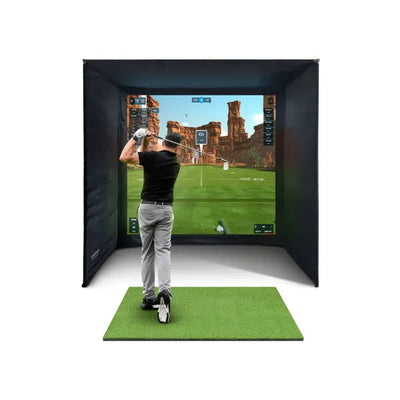
If you're shopping for a home golf simulator in the UK, you've almost certainly narrowed your launch monitor shortlist to two names: the Foresight GC3S and the FlightScope Mevo Gen 2. They sit in the mid-range sweet spot where most serious buyers end up — capable enough for genuine practice, affordable enough that you don't need a second mortgage.
But they're fundamentally different machines. The GC3S uses high-speed cameras to photograph the ball at impact. The Mevo Gen 2 uses Doppler radar to track it through the air. That core technology difference cascades into everything else: accuracy, space requirements, outdoor versatility, price, and what kind of golfer each one suits best.
This guide puts them head-to-head with honest UK pricing, real-world performance notes, and a clear verdict on which one deserves your money. No fence-sitting — we'll tell you exactly who each monitor is for.
If you're still at the research stage, our UK buyer's guide covers the full simulator decision, and our launch monitor comparison guide reviews every monitor worth considering. This article goes deeper on the two most commonly compared models.
Quick Verdict: Which Should You Buy?
In a hurry? Here's the short answer:
- Buy the Foresight GC3S if: Your simulator lives indoors permanently, your room is under 5m (16ft) deep, you prioritise spin accuracy above all else, or you're building a dedicated simulator room where the monitor never moves.
- Buy the FlightScope Mevo Gen 2 if: You want to use your launch monitor both indoors and outdoors, you have a room at least 5m deep, budget matters (it's roughly half the price), or you play at the range in summer and want one device that does everything.
Neither is objectively "better" — they excel in different situations. The rest of this article explains exactly why.
Specifications Comparison Table

| Specification | Foresight GC3S | FlightScope Mevo Gen 2 |
|---|---|---|
| Technology | Photometric (camera-based) | 3D Doppler radar |
| Cameras / Sensors | 3 high-speed cameras | Doppler radar unit |
| Placement | Beside the ball | 1.5–2.5m (5–8ft) behind the ball |
| Ball data points | Ball speed, launch angle, total spin, backspin, sidespin, spin axis, carry distance | Ball speed, launch angle, spin rate, spin axis, carry distance, total distance, apex height, flight time, descent angle |
| Club data | Available as paid upgrade | Club head speed, smash factor, angle of attack, club path (included) |
| Spin measurement | Direct optical measurement — highest accuracy | Radar-inferred — very good, improved with metallic stickers indoors |
| Metallic dot stickers | Required for best spin readings | Recommended for indoor spin accuracy |
| Indoor use | Excellent — designed for it | Very good — needs adequate space behind ball |
| Outdoor use | Limited — no ball tracking through flight | Excellent — full outdoor ball tracking |
| Connectivity | USB, Wi-Fi, Bluetooth | Wi-Fi, Bluetooth |
| Software included | FSX Play | E6 Connect (5 courses) |
| GSPro compatible | Yes | Yes |
| E6 Connect compatible | Yes | Yes (included) |
| Awesome Golf compatible | Yes | Yes |
| UK standalone price | ~£3,500–£4,000 | £1,199 |
| UK bundle price | From £5,289 | From £2,498 |
| Weight | ~0.5 kg | ~0.6 kg |
| Battery | Rechargeable, ~5 hours | Rechargeable, ~5 hours |
The numbers tell part of the story, but the real differences only become clear when you understand what each technology actually does and how it affects your day-to-day experience.
Technology Deep Dive: Camera vs Radar
This is the fundamental divide in launch monitors, and it shapes everything else about how these two devices behave.
How the Foresight GC3S Works (Photometric / Camera)
The GC3S sits on the floor beside your ball, slightly behind and to the right (for right-handed golfers). Its three high-speed cameras photograph the ball at the exact moment of impact and in the first few centimetres of flight. From these images, it directly measures ball speed, launch angle, and — critically — spin rate and spin axis by reading the markings on the ball's surface.
This is why the GC3S requires metallic dot stickers on the ball for optimal spin measurement. The cameras need something reflective and high-contrast to track the ball's rotation. Without stickers, you'll still get ball speed and launch angle, but spin data becomes less reliable.
The key advantage is direct measurement. The GC3S doesn't calculate or infer spin — it sees it. This gives it a genuine accuracy edge for spin-related data, which is the hardest measurement for any launch monitor to get right.
The trade-off: because the cameras only capture data at impact, the GC3S doesn't track the ball through its flight. It measures launch conditions and then uses a physics model to predict where the ball would go. For indoor simulator use, this is perfectly fine — the ball hits the screen 3m (10ft) away anyway. But it means the GC3S has limited value outdoors because it can't tell you what the ball actually did after launch.
How the FlightScope Mevo Gen 2 Works (Doppler Radar)
The Mevo Gen 2 sits 1.5–2.5m (5–8ft) behind the ball, aimed in the direction of your target. Its radar unit emits radio waves that bounce off the ball and club, measuring their velocity and movement through the Doppler effect — the same principle behind speed cameras and weather radar.
Because the radar tracks the ball from behind, it can follow the ball's entire flight path — from launch through apex to landing. This gives it carry distance, total distance, apex height, descent angle, and flight time as directly measured data points rather than physics model estimates.
For spin measurement indoors, the Mevo Gen 2 faces a challenge. When you're hitting into a screen 3m away, the ball doesn't fly far enough for the radar to fully characterise the spin. FlightScope addresses this with Fusion Tracking, which combines radar data with algorithms to produce spin readings. Adding metallic dot stickers to the ball significantly improves indoor spin accuracy by giving the radar a more reflective surface to track.
The Mevo Gen 2 also measures club data as standard — club head speed, smash factor, angle of attack, and club path. The GC3S offers club data only as a paid upgrade.
What This Means in Practice
If you only ever use your launch monitor indoors in a simulator, the GC3S's direct spin measurement gives it a genuine accuracy advantage — particularly for spin axis (the direction of spin that creates draws and fades). The Mevo Gen 2 is very good indoors, but it's inferring spin rather than directly seeing it.
If you want to use your launch monitor anywhere — indoors in winter, on the range in spring, on the course in summer — the Mevo Gen 2 is dramatically more versatile. The GC3S is essentially an indoor-only device for practical purposes.
Accuracy: How They Actually Compare

Accuracy is the most common question, and the most nuanced to answer honestly. Both monitors are mid-range devices punching above their weight, but they have different strengths.
Ball Speed
Both the GC3S and Mevo Gen 2 measure ball speed with excellent accuracy. You'll see readings within 1–2 mph of each other and within 1 mph of a GCQuad or TrackMan in most conditions. For practical simulator use, ball speed accuracy is a non-issue with either device.
Launch Angle
Again, both are very accurate here. Camera-based monitors have a slight theoretical edge because they're photographing the ball at impact, but the Mevo Gen 2's radar tracking produces launch angle readings that are equally reliable in real-world use. Differences of 0.1–0.3 degrees aren't meaningful for practice.
Spin Rate and Spin Axis — Where They Diverge
This is where the technology difference actually matters.
The GC3S directly photographs the ball's surface at impact. When you're using metallic dot stickers, the cameras can see exactly how fast the ball is rotating and in which direction. Spin rate accuracy is typically within 100–200 rpm of a GCQuad, and spin axis accuracy is genuinely impressive for the price point. If you hit a 5-iron that produces 4,800 rpm of spin in real life, the GC3S will consistently read 4,700–4,900 rpm.
The Mevo Gen 2 uses radar to infer spin, and indoors (hitting into a screen at short distance), it has less data to work with than it would tracking a full outdoor ball flight. With metallic dot stickers, the Mevo Gen 2's indoor spin accuracy is very good — typically within 200–400 rpm of a tour-level monitor. Without stickers, spin readings can drift further, particularly for lower-spinning shots like long irons and woods.
Practical impact: If you're doing club fitting, testing different ball models for spin characteristics, or need to precisely measure how much spin your wedge shots produce, the GC3S gives you more reliable data. If you're practising, playing virtual rounds, and tracking general trends in your game, the Mevo Gen 2's spin accuracy is more than adequate.
Carry Distance
Interestingly, the Mevo Gen 2 has a theoretical advantage here when used outdoors — it actually tracks where the ball lands. The GC3S calculates carry from launch conditions using a physics model. Indoors, both are calculating carry (since neither can track the ball past the impact screen), and the results are similarly accurate. For simulator use, carry distance accuracy is comparable between the two.
Club Data
The Mevo Gen 2 includes club head speed, smash factor, angle of attack, and club path as standard. The GC3S measures ball data only in its base configuration — you can unlock club data with a paid upgrade.
If club data matters to your practice (and it should, if you're working on your swing), the Mevo Gen 2 offers better out-of-the-box value here. To get comparable club data from the Foresight range without paying for the upgrade, you'd need to step up to the Foresight GC3 bundle (from £8,959), which includes club tracking as standard.
Accuracy Summary
| Measurement | GC3S Accuracy | Mevo Gen 2 Accuracy | Winner |
|---|---|---|---|
| Ball speed | Excellent | Excellent | Draw |
| Launch angle | Excellent | Excellent | Draw |
| Spin rate (indoors, with stickers) | Outstanding | Very good | GC3S |
| Spin axis (indoors) | Excellent | Good | GC3S |
| Carry distance (indoors) | Very good (calculated) | Very good (calculated) | Draw |
| Carry distance (outdoors) | Limited use outdoors | Excellent (measured) | Mevo Gen 2 |
| Club data | Paid upgrade | Included | Mevo Gen 2 |
For more on what launch monitor accuracy actually means in practice, see our article on how accurate golf simulators really are.
Space Requirements: The Deciding Factor for Many UK Buyers

This is often the factor that settles the debate before anything else, particularly for UK golfers converting a single garage.
Foresight GC3S: Zero Space Behind the Ball
The GC3S sits on the floor beside your ball, roughly level with your feet. It requires no space behind you whatsoever. In a room that's 4m (13ft) deep, you can stand 1m from the back wall and have 3m to the screen — a perfectly workable simulator setup.
This makes the GC3S the clear winner for:
- Single garages — typically 4.5–5m (15–16ft) deep in UK homes
- Spare bedrooms — usually 3–4m (10–13ft) deep
- Small garden rooms — budget garden rooms often start at 3.5m internal depth
- Any space where every centimetre of depth is precious
FlightScope Mevo Gen 2: Needs 1.5–2.5m Behind the Ball
The Mevo Gen 2 sits on the floor (or a low stand) 1.5–2.5m behind where you hit the ball. This fundamentally changes your room layout. In a 5m deep room:
- 2m behind the ball for the radar
- You're standing at the 2m mark
- 3m from you to the screen
That works, but it's tight. In a 4.5m room, you'd have:
- 1.5m behind the ball (minimum radar distance)
- 3m from you to the screen
That's feasible but at the very edge of what the radar needs for reliable readings. Below 4.5m total depth, a radar monitor becomes impractical.
Space Comparison by Room Size
| Room depth | GC3S feasibility | Mevo Gen 2 feasibility |
|---|---|---|
| 3.5m (11.5ft) | Workable (net setup) | Not feasible |
| 4m (13ft) | Full simulator possible | Not feasible |
| 4.5m (14.8ft) | Comfortable | Tight — minimum radar distance |
| 5m (16.4ft) | Comfortable with room to spare | Workable — standard setup |
| 5.5m (18ft) | Generous | Comfortable |
| 6m+ (20ft+) | Generous | Ideal |
UK reality check: The average single garage in England is roughly 5m deep by 2.5m wide. That's tight for a radar monitor and comfortable for a camera-based one. If you're building in a standard single garage, the GC3S solves a genuine space problem. If you have a double garage, large garden room, or dedicated room with 5.5m+ depth, the Mevo Gen 2 works beautifully.
For detailed room planning including width, height, and layout diagrams, see our golf simulator room size guide.
Software Compatibility
Both monitors work with the three most popular simulator software platforms in the UK. This is increasingly a non-issue — the software ecosystem has matured to the point where most mid-range and above monitors are broadly compatible.
| Software | GC3S | Mevo Gen 2 |
|---|---|---|
| GSPro | Yes | Yes |
| E6 Connect | Yes | Yes (5-course licence included) |
| Awesome Golf | Yes | Yes |
| FSX Play | Yes (included) | No |
| Creative Golf 3D | Yes | Yes |
| TGC 2019 | Yes | Yes |
GSPro is by far the most popular simulator software for UK home users. It costs roughly £200/year for the premium tier and offers 200+ courses with impressive graphics. Both monitors connect to GSPro seamlessly, so if GSPro is your plan, software compatibility isn't a differentiator.
The bundled software differs: the GC3S includes FSX Play (Foresight's own platform), while the Mevo Gen 2 includes a 5-course E6 Connect licence. E6 Connect is arguably the more polished out-of-the-box experience, but most users end up on GSPro within a few months regardless of what's included.
For a full breakdown of simulator software options, read our GSPro vs E6 Connect vs Awesome Golf comparison.
Outdoor Usability
This is where the Mevo Gen 2 wins decisively, and it's worth understanding why even if you're planning an indoor-only simulator.
Mevo Gen 2: Built for Anywhere
The Mevo Gen 2 was designed from the ground up to work outdoors. Set it on the ground 1.5–2.5m behind your ball, aim it at your target, connect your phone via Bluetooth, and you've got a full practice station on the driving range, in the garden, or on the course. It tracks the ball's actual flight through the air, giving you measured (not calculated) carry and total distances.
This outdoor versatility is a genuine differentiator. Many UK golfers use their simulator through the dark winter months (October to March) and then take the Mevo Gen 2 to the range or course in summer. One device, year-round golf improvement.
GC3S: Indoor Specialist
The GC3S can technically be used outdoors — it'll still measure ball speed, launch angle, and spin at impact. But because it doesn't track the ball through flight, you won't get measured carry or total distance outdoors. You'll get a calculated estimate based on launch conditions, which is less useful on a real driving range where you want to see where shots actually land.
For outdoor range sessions, the GC3S is a step down from a purpose-built outdoor monitor. It's not broken outdoors, but it's not in its element either.
Verdict on Outdoor Use
If you will never use your launch monitor outside — it lives in your simulator room permanently — this section doesn't matter. Buy the GC3S for its indoor accuracy advantage.
If there's any chance you'll want to take it to the range, use it in the garden on a sunny weekend, or bring it on a golf trip — the Mevo Gen 2 is dramatically more capable outdoors and the only sensible choice.
UK Pricing and Value
Let's talk money honestly. The price gap between these two monitors is significant, and it cuts in the Mevo Gen 2's favour.
Standalone Prices
- FlightScope Mevo Gen 2: £1,199
- Foresight GC3S: approximately £3,500–£4,000
The GC3S costs roughly three times more than the Mevo Gen 2 as a standalone unit. That's a £2,300–£2,800 premium for the Foresight name, photometric accuracy, and camera-based technology.
Complete Simulator Bundle Prices
- Mevo Gen 2 Bundle: from £2,498 (includes enclosure, impact screen, hitting mat, and all accessories)
- GC3S Bundle: from £5,289 (includes enclosure, impact screen, hitting mat, and all accessories)
The bundle gap is £2,791. For that difference, you could buy a premium Quad Tech hitting mat (£229), a year of GSPro premium, a quality projector, and still have change left over.
What You Get for the Extra Money
Is the GC3S worth nearly double? Here's what the premium buys you:
- Better indoor spin accuracy — direct optical measurement vs radar inference
- Zero rear space requirement — critical for tight UK rooms
- The Foresight ecosystem — FSX Play included, seamless integration with Foresight's club fitting tools
- Quieter, more compact form factor — sits discreetly beside the ball
What you don't get for the extra money:
- Outdoor ball tracking (the Mevo Gen 2 does this; the GC3S doesn't)
- Club data included (the Mevo Gen 2 includes it; the GC3S charges extra)
- Meaningfully better ball speed or launch angle accuracy (both are excellent)
The Value Verdict
The Mevo Gen 2 is the better value proposition. You get a versatile, accurate launch monitor with club data included for a fraction of the GC3S price. The GC3S is the better specialist tool — if indoor spin accuracy and space efficiency are your top priorities, the premium is justified.
For a full breakdown of what simulators cost at every price point, see our UK golf simulator cost guide.
Setup and Daily Use
GC3S Setup
Place the GC3S on the floor beside your ball, power it on, connect to your PC or tablet, and you're hitting within a couple of minutes. The alignment is straightforward — a guide light on the unit helps you position it relative to the ball. You'll need to apply a metallic dot sticker to each ball for spin tracking, which adds a few seconds between balls if you're cycling through them.
Day-to-day, the GC3S is a set-and-forget device. Once positioned, it stays in place. No adjustment needed between shots. The compact size means it's easy to leave permanently installed in your simulator room.
Mevo Gen 2 Setup
The Mevo Gen 2 requires more precise placement. It needs to be 1.5–2.5m behind the ball, aligned with your target line, and at the correct height (ground level or on a low stand). Most simulator owners mark the exact spot on the floor so setup takes seconds each time.
The Mevo Gen 2 connects via Wi-Fi to your PC or tablet. For indoor use, metallic dot stickers on the ball improve spin accuracy — the same minor inconvenience as the GC3S. For outdoor use, stickers aren't necessary as the radar can track the full ball flight.
If you plan to move the monitor between your indoor simulator and outdoor range sessions, the Mevo Gen 2 is designed for exactly this — it's portable, battery-powered, and quick to set up anywhere.
Who Each Monitor Is Best For
The GC3S Is Perfect For:
- Dedicated indoor simulator builders — your monitor lives in the room and never moves
- UK single garage conversions — space behind the ball is a luxury you can't afford
- Data purists — you want the most accurate spin data available at this price point
- Club fitters and coaches — reliable spin axis data matters for your work
- Golfers planning to upgrade within the Foresight ecosystem — the GC3S shares software and accessories with the GC3 and GCQuad, so upgrading later is seamless
The Mevo Gen 2 Is Perfect For:
- Golfers who want indoor AND outdoor use — one device, all year round
- Budget-conscious buyers — at roughly half the bundle price, the savings are substantial
- Rooms with 5m+ depth — the radar space requirement isn't an issue in bigger rooms
- Practice-focused golfers — club data included means you can work on angle of attack, club path, and smash factor without paying extra
- Garden practice setups — take it outside in summer, use a net in the garden, track real ball flights
- First-time simulator buyers — the lower cost of entry plus outdoor versatility reduces the risk of your investment
What About Alternatives?
If neither the GC3S nor the Mevo Gen 2 is quite right, here are the closest alternatives to consider:
Spending More
- Foresight GC3 (from £8,959 as a bundle): The GC3 adds built-in club head tracking to the GC3S platform. Club speed, club path, face angle, and dynamic loft are all measured directly — no upgrade fee needed. If you want Foresight camera accuracy plus full club data, the GC3 is the step up.
- Full Swing KIT (£7,999 as a bundle): Camera-based, sits beside the ball, measures ball and club data, and offers an overhead mounting option that keeps the floor clear. The brand Tiger Woods uses at home. A premium alternative to the GC3S with a different feature set.
Spending Less
If the Mevo Gen 2 standalone (£1,199) is more than you want to spend on just the monitor, consider starting with the monitor alone and building your simulator gradually. Pair it with a practice net and standard hitting mat (£199) to get started for well under £2,000 total. Add an enclosure, projector, and screen when budget allows — your launch monitor carries straight over.
Hitting Mat Pairing
Whichever launch monitor you choose, don't neglect the mat. A poor mat will hurt your joints over hundreds of swings and deliver unrealistic turf interaction. Both the GC3S and Mevo Gen 2 bundles include mats, but if you're buying separately or upgrading later:
- GolfBays Standard Hitting Mat (£199): Solid all-rounder with 1.5m x 1.5m (4'11" x 4'11") surface. Good turf feel, decent durability.
- GolfBays Quad Tech Hitting Mat (£229): Four different turf zones (fairway, rough, tight lie, tee) on one mat. More realistic practice variety for an extra £30.
For more mat options and detailed comparisons, see our best hitting mats guide.
Enclosure and Screen Considerations
Both launch monitors work with any standard simulator enclosure, but the GC3S's positioning advantage is worth noting. Because it sits beside the ball rather than behind you, the entire room depth is available for your hitting zone and screen distance. This can mean the difference between a comfortable 3m screen distance and a cramped 2m distance that makes the projected image feel like it's in your face.
If you're building a full enclosed simulator, our enclosures and impact screens guide covers everything you need to know about choosing the right setup for your space.
Final Verdict

After hundreds of UK simulator installations and countless hours testing both devices, here's our honest take:
The FlightScope Mevo Gen 2 is the better choice for most UK golfers. It costs roughly half the price, works indoors and outdoors, includes club data as standard, and delivers accuracy that's more than adequate for home simulator use. Unless you have a specific reason to choose the GC3S, the Mevo Gen 2 is where your money goes furthest.
The Foresight GC3S is the better choice for indoor-only builds in tight spaces. If your room is under 5m deep, if you never plan to use the monitor outdoors, and if indoor spin accuracy is your non-negotiable priority, the GC3S solves problems the Mevo Gen 2 simply can't — because physics won't let a radar monitor work without space behind the ball.
Neither is a bad purchase. Both are excellent mid-range monitors that will provide years of reliable data. The question is whether your use case justifies the GC3S premium, or whether the Mevo Gen 2's lower price and greater versatility make it the smarter investment.
Our Recommendation by Scenario
| Your situation | Our pick | Why |
|---|---|---|
| Standard single garage (5m deep) | GC3S Bundle (from £5,289) | Space is tight — camera placement wins |
| Double garage or large room (5.5m+) | Mevo Gen 2 Bundle (from £2,498) | Plenty of space, better value |
| Indoor only, data accuracy priority | GC3S Bundle (from £5,289) | Best indoor spin data at this price |
| Indoor + outdoor / garden use | Mevo Gen 2 Bundle (from £2,498) | Only option that works well outdoors |
| Budget is the main concern | Mevo Gen 2 Bundle (from £2,498) | £2,791 saved vs GC3S bundle |
| Club fitting / coaching | GC3S Bundle (from £5,289) | Superior spin axis data for fitting |
| First simulator, might upgrade later | Mevo Gen 2 Bundle (from £2,498) | Lower commitment, outdoor backup value |
| Spare room / small garden room | GC3S Bundle (from £5,289) | No rear space needed in compact rooms |
Frequently Asked Questions
Is the Foresight GC3S more accurate than the FlightScope Mevo Gen 2?
For indoor spin rate and spin axis measurement, yes — the GC3S's camera-based system directly photographs ball spin, giving it a genuine accuracy advantage over the Mevo Gen 2's radar inference. For ball speed and launch angle, both are equally accurate. For outdoor carry distance, the Mevo Gen 2 is more accurate because it tracks the actual ball flight. Overall, the GC3S has a slight indoor accuracy edge; the Mevo Gen 2 has the outdoor accuracy edge.
Can I use the GC3S outdoors?
Technically yes — it will still measure ball speed, launch angle, and spin at impact. But it can't track the ball through flight, so you won't get measured carry or total distance outdoors. For practical outdoor range use, the Mevo Gen 2 is significantly more capable. If outdoor use matters to you, choose the Mevo Gen 2.
Do both monitors need metallic dot stickers on the ball?
Both benefit from metallic dot stickers for indoor use. The GC3S requires them for reliable spin tracking — its cameras use the reflective dots to measure ball rotation. The Mevo Gen 2's indoor spin accuracy improves with stickers but works without them (with slightly less precise spin readings). Metallic dot stickers are inexpensive (a few pounds for a sheet) and applied in seconds.
How much space do I need behind the ball for the Mevo Gen 2?
FlightScope recommends 1.5–2.5m (5–8ft) behind the ball. In practice, 2m works well for most users. This means your total room depth needs to be at least 5m to fit a comfortable simulator setup with a radar monitor. The GC3S requires zero space behind the ball, making it the better choice for rooms under 5m deep. See our room size guide for detailed layout planning.
Which monitor is better for GSPro?
Both connect to GSPro seamlessly and deliver a great experience. There's no meaningful difference in GSPro compatibility or performance. Choose based on your space, budget, and indoor/outdoor needs rather than software compatibility — it's a non-issue for both monitors.
Can the Mevo Gen 2 match the GC3S for spin accuracy indoors?
With metallic dot stickers and proper placement, the Mevo Gen 2 delivers spin data that's good enough for practice and virtual rounds — typically within 200–400 rpm of a tour-grade monitor. The GC3S is more precise (within 100–200 rpm), which matters for club fitting and detailed spin analysis but is less noticeable during normal simulator play. For most home golfers, the Mevo Gen 2's indoor spin accuracy is perfectly adequate.
Is the GC3S worth the extra money over the Mevo Gen 2?
It depends entirely on your priorities. If you're building an indoor-only simulator in a tight space and spin accuracy is paramount, the GC3S's premium is justified — it solves a real space problem and delivers superior indoor data. If you want versatility, outdoor use, club data included, and a lower total cost, the Mevo Gen 2 is the smarter purchase. The £2,791 bundle price difference is substantial and could fund a better projector, premium mat, or a year of software subscriptions.
Should I consider the Foresight GC3 instead of the GC3S?
The GC3 (from £8,959 as a bundle) adds built-in club head tracking — speed, path, face angle, and dynamic loft — measured directly by the cameras. If club data is important to your practice and you're committed to the Foresight ecosystem, the GC3 is a meaningful upgrade. If you primarily care about ball data and simulation play, the GC3S gives you nearly identical ball tracking at a lower price.
Still deciding? Browse our full range of UK simulator bundles to see both monitors packaged with everything you need for a complete setup, or read our complete UK buyer's guide for the full picture.

Free Home Golf Simulator Design Consultation
Not sure on space, screen or launch monitor? Chat directly with Tom, OpenGolfer’s founder — he has designed hundreds of home setups and will tell you exactly what fits your room and budget.
- Send your room size (or a photo) — get a tailored layout and spec for your space, ceiling height included
- Personal replies from a real golfer, not a call centre
- Honest advice on what to buy — and what not to
Usually replies within the hour, 8am–8pm · prefer to talk? 02033 768500



Leave a comment