
How Accurate Are Golf Simulators? What the Data Actually Shows

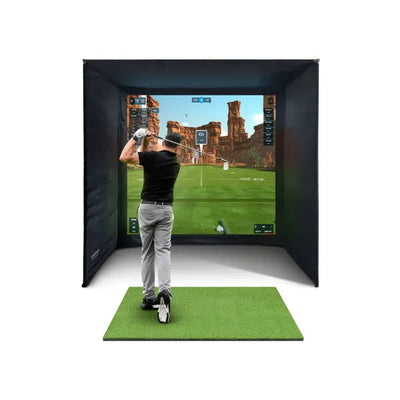
You've just hit a 7-iron on your golf simulator and the screen reads 152 yards carry with 6,400 RPM of backspin. Your playing partner looks impressed. But would that ball actually carry 152 yards on the course? Is that spin number reliable enough to base club selection decisions on? And is the draw you just saw on screen the same shape you'd see outdoors at your local club?
These are the questions every serious simulator owner eventually asks — and the honest answer is: it depends. Golf simulator accuracy spans a wide range, from budget devices that give you rough estimates to tour-grade systems that PGA Tour players and professional club fitters stake their livelihood on. The launch monitor technology, the price point, the room setup, and even the golf ball you use all influence how closely your indoor numbers match outdoor reality.
This guide cuts through the marketing claims and examines what golf simulators actually measure, how the two main tracking technologies compare, where each price tier sits on the accuracy spectrum, and — most importantly — what you can do to maximise the reliability of your data. We'll use real numbers, honest assessments, and practical advice grounded in hundreds of UK simulator setups.
If you're still researching your first simulator, our complete UK buyer's guide covers the full picture. If you want to compare specific launch monitors head-to-head, our launch monitor comparison guide breaks down every model worth considering.
What Golf Simulators Actually Measure
Before we can talk about accuracy, we need to understand what a golf simulator is actually doing. The launch monitor — the sensor device at the heart of every simulator — captures raw data about the ball and club at or immediately after impact. Everything else, including where the ball lands on the virtual fairway, is calculated by software using physics models. That distinction is crucial.
Directly Measured Ball Data
These are the core measurements every quality launch monitor captures from the physical ball:
- Ball speed — How fast the ball leaves the club face, measured in mph. This is the single most important number for determining distance, and it's the parameter that launch monitors measure most accurately across all technology types. A mid-range monitor measures ball speed to within 1-2 mph of the true value
- Launch angle — The vertical angle at which the ball departs the club face, measured in degrees. Combined with ball speed, this determines trajectory and peak height
- Spin rate — The number of revolutions per minute (RPM) the ball makes. Backspin keeps the ball airborne longer and makes it stop on the green. This is one of the hardest parameters to measure accurately, and it's where different technology types diverge most
- Spin axis — The tilt of the ball's rotation axis, which determines curve. A tilted axis produces draw or fade. This tells your simulator whether the ball curves left or right, and by how much
Club Data (Higher-End Monitors Only)
Premium launch monitors also track the club head itself:
- Club head speed — How fast the club is travelling at impact. Essential for fitting, speed training, and understanding your power output
- Club path — The direction the club head moves at impact relative to the target line. Tells you whether you're swinging in-to-out (draw path) or out-to-in (fade path)
- Face angle — Where the club face points at impact relative to the club path. The relationship between face angle and path determines the ball's starting direction and curve
- Angle of attack — Whether the club is ascending or descending at impact. You want positive attack angle with the driver (hitting up) and negative with irons (hitting down)
- Dynamic loft — The actual loft presented to the ball at impact, which differs from the club's stamped loft depending on shaft lean and hand position
Calculated Data (Software Physics Engine Output)
These numbers are NOT directly measured. They're calculated by the simulator software using the measured data above and a physics model:
- Carry distance — How far the ball flies before landing. Calculated from ball speed, launch angle, spin rate, spin axis, and the software's atmospheric model
- Total distance — Carry plus roll. Depends on the software's ground firmness model
- Peak height — The highest point of the trajectory. Purely calculated
- Landing angle — The descent angle at landing. Steeper angles mean the ball stops faster
- Lateral deviation — How far left or right the ball finishes. Calculated from spin axis and speed
This distinction matters enormously. The accuracy of your carry distance depends on two things: how accurately the launch monitor reads the raw data, and how accurately the software's physics engine converts that data into a distance prediction. Even a perfectly accurate launch monitor will produce slightly different carry distances depending on which simulator software you run — GSPro, E6 Connect, and Awesome Golf all use different physics engines with different atmospheric and ground models.
Camera vs Radar: How the Two Technologies Track Your Ball

Every launch monitor on the market uses one of two fundamental tracking approaches. The technology determines not just accuracy characteristics, but also space requirements, indoor/outdoor versatility, and how you set up your simulator room.
Camera-Based (Photometric) Tracking
Camera-based monitors use high-speed cameras — capturing thousands of frames per second — to photograph the golf ball at and immediately after impact. By analysing the movement of markings on the ball's surface across multiple frames, they calculate ball speed, launch angle, spin rate, and spin axis from direct visual observation.
How it works: The unit sits at or slightly behind ball level, to the side of your hitting position. High-speed cameras fire as the club approaches, capturing the ball's position, rotation, and velocity across several frames within the first few centimetres of flight. The more cameras and the higher the frame rate, the more data points are captured and the more accurate the measurement.
Accuracy strengths:
- Spin measurement is exceptionally precise because the cameras directly observe ball rotation from surface markings. This is photometric's biggest advantage — spin accuracy that radar simply cannot match indoors
- Ball speed and launch angle are measured from actual positional data, not inferred from radio wave frequency shifts
- Indoor performance is excellent — these systems are purpose-designed for controlled environments
- No ball flight distance needed — measurement happens at impact, so hitting into a screen 2.5 metres (8 feet) away is perfectly fine. The monitor doesn't care how far the ball actually flies
- No space behind you — sits beside the ball, preserving your room depth for the screen zone
Accuracy limitations:
- Most photometric monitors require metallic dot stickers or specific ball markings to track spin reliably. Without markings, spin data degrades or becomes unavailable
- Lighting conditions directly affect camera performance. Variable light from windows, flickering bulbs, or harsh shadows in the measurement zone can reduce accuracy
- The measurement window is very short — only the first few centimetres of ball flight are captured. The system extrapolates the full trajectory from those initial conditions
- Outdoor use can be challenging, particularly in bright sunlight that overwhelms the cameras
Key models: Foresight GC3S, Foresight GC3, Foresight GCQuad, Full Swing KIT
Radar-Based (Doppler) Tracking
Radar monitors emit microwave radio signals that bounce off the ball and club. By measuring the Doppler shift — the change in frequency of the reflected signal — the system calculates speed and direction. Advanced 3D Doppler radar tracks the ball's position in three dimensions throughout its flight.
How it works: The unit sits 1.5-2.5 metres (5-8 feet) behind the ball position. Radar waves track the ball from impact through its flight. Outdoors, this means tracking the full trajectory to landing. Indoors, the ball only travels 2-4 metres before hitting the impact screen, so the system captures early flight data and extrapolates the rest.
Accuracy strengths:
- Ball speed measurement is very accurate — Doppler radar has been measuring velocity for decades (it's the same fundamental technology behind police speed cameras and weather radar)
- Outdoor accuracy is excellent because the system tracks actual ball flight over a significant distance, giving it abundant data to work with
- Works with any golf ball straight out of the sleeve — no special markings required for basic measurements (though stickers improve indoor spin accuracy)
- Club head speed measurement is typically very precise
Accuracy limitations:
- Indoor spin accuracy is the main weakness. With only 2-4 metres of ball flight before hitting the screen, radar has limited data from which to determine spin. Most radar monitors recommend metallic dot stickers to improve indoor spin readings. Without stickers, spin is partially inferred rather than fully measured
- Requires 1.5-2.5 metres of clear space behind the hitting position, eating into available room depth
- Very short shots (chips, pitches under 30 yards) can be harder to track accurately because there isn't enough ball speed or flight time for the radar to build a complete picture
Key models: FlightScope Mevo Gen 2, FlightScope Mevo Gen 2 (standalone), FlightScope Mevo+, TrackMan iO, Garmin Approach R10
Camera vs Radar: Direct Accuracy Comparison
| Parameter | Camera-Based (e.g. GC3S) | Radar-Based (e.g. Mevo Gen 2) | Winner Indoors |
|---|---|---|---|
| Ball speed | Excellent (within 1 mph) | Excellent (within 1 mph) | Draw |
| Launch angle | Excellent (within 0.5 degrees) | Very good (within 0.7 degrees) | Camera (slight edge) |
| Spin rate (with stickers) | Excellent (within 200 RPM) | Good (within 300-400 RPM) | Camera |
| Spin rate (no stickers) | Unavailable | Fair (estimated) | Radar (by default) |
| Spin axis / shot shape | Excellent | Good | Camera |
| Club head speed | Good (upgrade on some models) | Excellent (included) | Radar |
| Short game (under 50 yards) | Very good | Fair to good | Camera |
| Outdoor versatility | Limited | Excellent | Radar |
| Space required behind ball | None (sits beside ball) | 1.5-2.5 metres | Camera |
The practical takeaway: Camera-based monitors have a measurable edge in indoor spin accuracy — the parameter that matters most for realistic shot shape and stopping power on virtual greens. Radar monitors offer more versatility (take it to the range in summer) and measure club data as standard. Both technologies are accurate enough for serious practice and game improvement when properly set up.
Accuracy by Price Tier: What You Actually Get for Your Money

Now we get specific. These accuracy figures are drawn from independent testing, manufacturer specifications, and our own experience comparing hundreds of indoor simulator readings against outdoor TrackMan and GCQuad benchmarks.
Budget Tier (Under £500): Good for Trends, Not Absolutes
At this price point, you get devices like the PRGR HS-130A (£220) and the Garmin Approach R10 (£550). The PRGR uses basic radar to measure ball speed and club speed — that's it. Carry distance is estimated from ball speed using a simplified formula. No spin, no launch angle, no shot shape. The Garmin R10 uses radar with more data points but still relies on estimation for several parameters.
Typical accuracy:
- Ball speed: within 3-5 mph (approximately 3-5%)
- Carry distance: within 5-10% — on a 150-yard shot, that's 7-15 yards of potential error
- Spin data: estimated or not available. The PRGR doesn't measure spin at all; the Garmin R10 estimates it
- Club data: basic swing speed only (PRGR), or estimated path data (Garmin R10)
What this means in practice: If your actual 7-iron carry is 150 yards, a budget device might read anywhere from 135 to 165 yards on any given shot. The average across 10 shots will be closer to correct, but individual readings are too variable for precise work. These devices are useful for tracking broad trends — "Am I generating more club speed than last month?" — but not for practising to specific yardages.
Should you use one for a full simulator? The PRGR is a practice aid, not a simulator-grade device. The Garmin R10 can drive simulator software (E6 Connect, GSPro), and the experience is fun for casual play. But if accurate data matters to you — and it should, if you're investing in a proper simulator with an enclosure and impact screen — this tier leaves too much to estimation.
Mid-Range Tier (£1,500-£4,000): Reliable for Serious Practice
This is where genuine simulator-grade accuracy begins. The FlightScope Mevo Gen 2 (from £2,499 in bundle) and Foresight GC3S (from £3,799 in bundle) define this bracket.
Typical accuracy:
- Ball speed: within 1-2 mph (approximately 1-1.5%)
- Launch angle: within 0.5-1 degree
- Spin rate: within 200-400 RPM (approximately 3-6% on a typical iron shot) when using metallic dot stickers
- Carry distance: within 2-4% when properly calibrated — on a 150-yard shot, that's 3-6 yards
- Full ball data set: ball speed, launch angle, spin rate, spin axis, carry distance
What this means in practice: If your actual 7-iron carry is 150 yards, a mid-range monitor reads 144-156 yards on any given shot — and the average across 10 shots typically lands within 2-3 yards of the true carry. That's accurate enough for meaningful practice, reliable distance gapping between clubs, and genuine game improvement. You can trust the trends absolutely, and you can mostly trust individual shot readings.
The 12-yard gap between your 7-iron and 8-iron? That's real. The 2-degree club path change you've been working on? The monitor detects it. The 300 RPM spin difference between your new wedge and your old one? Visible in the data.
The sweet spot for UK home simulators. Both the Mevo Gen 2 and GC3S exceed the accuracy threshold needed for every drill in our practice drill guide. For full cost context on building a simulator around these monitors, see our UK price breakdown.
Premium Tier (£4,000-£8,000): Professional-Grade Data
Moving up, the Foresight GC3 (from £4,799 in bundle) and Full Swing KIT (from £4,499 in bundle) add full club head tracking to the mid-range ball data, with improved precision across every parameter.
Typical accuracy:
- Ball speed: within 0.5-1 mph (under 1%)
- Launch angle: within 0.3-0.5 degrees
- Spin rate: within 100-200 RPM (approximately 1.5-3%)
- Carry distance: within 1-2% — on a 150-yard shot, that's 1.5-3 yards
- Full club data: speed, path, face angle, dynamic loft, angle of attack
What this means in practice: If your actual 7-iron carry is 150 yards, a premium monitor reads 147-153 yards consistently. The spin data is reliable enough for club fitting work. Club path and face angle readings are accurate enough to diagnose swing faults without video analysis.
This is the tier where you can confidently say: "My 7-iron path is 2 degrees in-to-out with 1.5 degrees of face closure" — and make swing changes based on that data. It's also the tier where comparing two different driver shafts and detecting a genuine 3-yard carry difference becomes statistically meaningful.
Tour-Grade (£9,000+): Sub-1% Everything
The Foresight GCQuad (from £9,499 in bundle) sits at the pinnacle. Four high-speed cameras capture ball and club data with sub-degree, sub-100-RPM precision. This is what PGA Tour vans carry, what professional fitters trust for commercial decisions, and what club manufacturers use for R&D.
Typical accuracy:
- Ball speed: within 0.2-0.5 mph
- Launch angle: within 0.2 degrees
- Spin rate: within 50-100 RPM (under 1.5%)
- Carry distance: within 0.5-1% — on a 150-yard shot, that's under 1.5 yards
- Impact location mapping: shows exactly where on the face you struck the ball
Is it worth it for home use? For the vast majority of home golfers, honestly, no. The difference between a GC3S's 3% carry accuracy and a GCQuad's 1% is about 3 yards on a 150-yard shot. You won't shoot lower scores because your monitor reads 149 instead of 146. Where the GCQuad justifies its price is in professional applications: club fitting where 2 yards of carry difference between shaft options has genuine commercial significance, teaching where sub-degree swing path measurements inform coaching decisions, and product testing where statistical confidence matters.
Accuracy by Tier: Summary Table
| Tier | Price Range | Ball Speed | Spin Rate | Carry Distance | Club Data | Best For |
|---|---|---|---|---|---|---|
| Budget | Under £500 | Within 3-5% | Estimated / N/A | Within 5-10% | Basic speed only | Trend tracking, casual fun |
| Mid-Range | £1,500-£4,000 | Within 1-1.5% | Within 3-6% | Within 2-4% | Yes (varies) | Home simulators, serious practice |
| Premium | £4,000-£8,000 | Under 1% | Within 1.5-3% | Within 1-2% | Full set, high precision | Training, fitting, coaching |
| Tour-Grade | £9,000+ | Under 0.5% | Under 1.5% | Under 1% | Full set + impact location | Tour practice, R&D, pro fitting |
What Affects Your Simulator's Accuracy

Even a £9,000 GCQuad produces unreliable data if the setup is wrong. Here are the factors that affect your readings, ranked by how much they actually matter.
1. Calibration and Alignment (Highest Impact)
Every launch monitor must be positioned precisely relative to the ball and target line. This is the single biggest accuracy variable within your control.
- Radar monitors (Mevo Gen 2): Must be directly behind the ball, aligned with the target line, at the correct distance (typically 1.8-2.4 metres / 6-8 feet behind the ball, 15-30 cm / 6-12 inches above ground). Even a 5-degree misalignment introduces systematic errors in launch angle and direction readings that affect every shot until corrected
- Camera monitors (GC3S, GC3): Must be level, at the precise distance from the ball specified in the manual, and aligned to the hitting zone. The ball must be placed within the marked measurement zone — even 10 cm (4 inches) off-centre can degrade accuracy or cause misreads
- Overhead systems (Full Swing KIT ceiling mount): Height above floor, perpendicular alignment to the hitting area, and level calibration all matter. The advantage is that once mounted, ceiling units don't get bumped out of alignment between sessions
What to do: Follow the manufacturer's setup guide to the letter. Use a laser level or alignment stick for positioning. Once your simulator is permanently installed, mark the exact positions of the launch monitor and ball placement on the floor — masking tape, a small sticker, whatever works — so they're identical every session. Recalibrate whenever you move anything or notice data that looks inconsistent.
2. Ball Quality and Markings (High Impact)
This catches many home simulator owners off guard. The golf ball you use significantly affects your readings — and not just because premium balls perform differently from range balls.
- Premium tour balls (Pro V1, TP5, Chrome Soft): Produce the most consistent data shot-to-shot. Spin rates and launch conditions are stable and predictable. This is what launch monitors are calibrated against
- Mid-range balls (Srixon AD333, Callaway Supersoft): Slightly lower spin, but data consistency is still good. Perfectly fine for practice
- Range balls: Wildly inconsistent. Different balls from the same bucket can have different weights, dimple depths, and compression values. Spin data from range balls is essentially meaningless. Distance readings can vary by 10-15% between individual balls from the same batch
- Foam/limited flight balls: Do not use these with launch monitors. They don't generate enough speed for accurate measurement and their flight characteristics bear no resemblance to real golf balls
What to do: Use the same ball model you play on the course. Buy a sleeve and keep them exclusively for simulator use — they'll last months indoors since they don't get lost, waterlogged, or cart-path scuffed. For camera-based monitors, apply metallic dot stickers (included with most Foresight monitors) consistently for reliable spin tracking. Even radar monitors like the Mevo Gen 2 benefit from stickers indoors. Budget roughly £3-4 per ball and rotate through 3-4 balls per session.
3. Hitting Mat Quality (Medium-High Impact)
Your hitting mat affects accuracy in ways most golfers don't appreciate. A poor mat doesn't just feel bad — it actively corrupts your data.
- Club-ball interaction: On real turf, the club digs slightly through the ground after impact (the divot). On a hard, thin mat, the club bounces through impact. This changes launch angle, spin rate, and ball speed — your monitor reads the wrong numbers because the physics at impact are different from grass. A quality mat with appropriate cushioning and turf density allows more natural club-ground interaction
- Ball sitting height: For camera-based monitors sitting at ground level, the ball must sit at a consistent height. Worn mats with thin patches create inconsistent ball positions, leading to variable readings shot-to-shot
- Fat shot forgiveness: Budget mats forgive fat strikes by bouncing the club into the ball. This masks poor contact — the monitor shows a decent shot when in reality you'd have taken a 10 cm divot before the ball on grass. Over time, this teaches your brain the wrong impact feel and makes your data look better than your actual ball striking
For data accuracy, we recommend the GolfBays Premium Black (£370) for dedicated simulator setups. The GolfBays Standard (£199) offers excellent value with consistent turf quality. For practice variety, the GolfBays Quad Tech (£229) provides four different turf surfaces in one mat.
4. Room Setup and Screen Distance (Medium Impact — Radar Primarily)
This mainly affects radar-based monitors. The radar needs some ball flight distance to build a complete data picture. The shorter the distance between ball and impact screen, the less flight data the radar captures.
- 3-4 metres (10-13 feet) ball-to-screen: Optimal. The radar captures enough tracking data for accurate readings across all parameters
- 2-2.5 metres (6.5-8 feet): Acceptable. Ball speed stays accurate but spin readings may lose some precision, particularly on short game shots
- Under 2 metres (under 6.5 feet): Problematic for radar. Ball speed remains reliable, but spin becomes increasingly estimated. Camera-based monitors are a better choice for very tight rooms
Camera-based monitors are largely unaffected by screen distance because they measure at the point of impact, not during flight. This is a key reason the Foresight GC3S is the preferred choice for tight UK garages and spare rooms.
5. Lighting Conditions (Medium Impact — Camera Only)
Camera-based monitors rely on consistent lighting to photograph the ball clearly. This matters because most UK home simulators live in garages or outbuildings where lighting is an afterthought.
- Optimal: Consistent, diffused overhead LED lighting without direct sunlight hitting the measurement zone. A pair of £25 LED panel lights from Screwfix or Toolstation, positioned either side of the hitting area, is more than sufficient
- Problematic: Windows letting in variable sunlight (especially with passing clouds changing intensity), single-bulb overhead lights creating harsh shadows, very dim spaces where the camera struggles to resolve ball markings
- Tip for UK garages: If your garage has a window near the hitting zone, cover it with blackout material. A £10 blackout blind eliminates the single biggest lighting variable. Your camera monitor will reward you with noticeably more consistent readings
Radar monitors are completely unaffected by lighting conditions — one of their practical advantages for simple setups where controlling light is difficult.
6. Software Physics Engine (Low-Medium Impact)
The same raw launch data fed into different simulator software platforms produces different carry distances. This isn't a bug — it's because each physics engine models the atmosphere, ball aerodynamics, and ground conditions slightly differently.
- GSPro, E6 Connect, and Awesome Golf can differ by 2-5 yards on the same launch data
- Wind modelling varies — some platforms apply wind effects more aggressively
- Ground firmness defaults differ (affecting how much the ball rolls after landing)
- Altitude and air density calculations vary between platforms
What to do: Pick one software platform and stick with it for all data-driven practice. Your absolute distances might differ slightly from outdoor reality, but the relative differences between clubs — your distance gapping — will be consistent and genuinely useful. Don't switch platforms mid-session and wonder why your 7-iron suddenly carries 4 yards further.
7. Temperature (Low Impact Indoors, But Real for UK Setups)
This one is particularly relevant for UK simulator owners. Most home simulators live in unheated garages, and British winters are cold. At 5 degrees Celsius (a typical January garage temperature), golf ball compression drops measurably — the ball doesn't spring off the face as efficiently as at 22 degrees on a summer day. The effect is around 1-2 mph of ball speed, which translates to roughly 3-5 yards on a mid-iron.
This isn't a launch monitor error — the ball genuinely is travelling slower in the cold. It's one reason indoor winter numbers often read slightly shorter than summer outdoor numbers, beyond the lack of wind assistance and warm air.
Practical note: A small fan heater pointed at the hitting area for 20 minutes before your session brings the mat and balls closer to summer temperature. Alternatively, keep a few balls in your house at room temperature and bring them to the garage when you practice. These small steps close the temperature gap without costing much.
Real vs Simulated: Why Indoor Numbers Differ From Outdoor
Even with a perfectly calibrated premium launch monitor, your simulator distances will differ from your outdoor distances. Here's an honest breakdown of why — and whether it actually matters for your practice.
Why Simulator Distances Tend to Read Shorter
- No wind assistance: Simulators default to zero wind unless you add it. In the UK, even a gentle 8 mph following breeze adds 5-12 yards to a mid-iron. True zero-wind days are vanishingly rare on British links and parkland courses. Your outdoor numbers include wind help far more often than you realise
- No ground roll (carry-only focus): Carry distance is carry distance, but total distance on a simulator depends on the software's ground model. On firm UK summer fairways, a well-struck driver can roll 30-50 yards beyond the pitch mark. Winter courses give less roll. Simulators use a generic firmness setting that may not match your local conditions
- Cool indoor temperatures: As covered above, a 5-15 degree UK garage reduces ball speed by 1-2 mph compared to a warm summer day on the course. Small effect, but it compounds across every club in the bag
- No adrenaline: On the course, with a match on the line and a fourball watching, adrenaline adds 2-5 mph to your swing speed. In your garage at 9pm in your joggers, you're relaxed. Your simulator isn't underreading — you're genuinely swinging a touch slower in the comfort of home
Why Simulator Distances Sometimes Read Longer
- Perfect lies every time: Every shot off a hitting mat is from a perfect lie. On the course, you're hitting from semi-rough, divots, wet grass, bare lies, and awkward stances — all of which cost distance. Your average outdoor strike is worse than your average indoor strike because outdoor conditions are worse
- No elevation changes: Simulators show pure carry on a flat range. Uphill holes effectively reduce your carry; downhill extends it. Your course almost certainly isn't flat, and many UK courses have significant elevation changes
- Higher strike quality: The comfortable, pressure-free simulator environment means you likely hit a higher percentage of centred, solid strikes than on the course. Your average simulator distance may exceed your average course distance simply because you're making better contact more consistently indoors
- Mat forgiveness: As discussed, mats reduce the penalty for slightly heavy contact, making mediocre strikes appear cleaner than they would from grass. This inflates your average slightly
The Honest Takeaway
Don't expect your simulator distances to precisely match your outdoor distances. They shouldn't — the conditions are fundamentally different. What matters is that your simulator distances are internally consistent. If your simulator 7-iron averages 152 yards carry and your 8-iron averages 140 yards, that 12-yard gap is real and reliable — even if your outdoor 7-iron carries 157 yards with summer conditions and a helping breeze.
Use your indoor numbers for club gapping, shot shape work, spin control, dispersion analysis, and improvement tracking. Don't use them to tell your playing partners how far you hit the ball. Many serious golfers actually prefer the honesty of simulator data — it strips away the lucky bounces, the following winds, and the firm fairways, and shows you the raw result of your swing. That's more useful for improvement, even if it's sometimes less flattering.
When to Trust Your Numbers (and When Not To)
Here's a practical framework for deciding which data to rely on from your home simulator.
Always Trustworthy (Mid-Range Monitors and Above)
- Ball speed: The most accurately measured parameter across all technology types. Trust it absolutely
- Relative distances between clubs: Your gapping is reliable even if absolute distances differ from outdoor play. If you see a consistent 12-yard gap between irons, that's genuine data you can use for on-course club selection
- Dispersion patterns: The spread of your shots — left-to-right and short-to-long — is real data. If your simulator shows a 35-yard dispersion with your driver, that's genuinely your scatter pattern
- Trends over time: If your average 7-iron carry increases from 148 to 154 yards across two months of structured practice, you've genuinely improved. The simulator doesn't flatter — that gain is real
- Launch angle: Both radar and camera systems measure this well. Trust it for trajectory analysis and fitting decisions
Mostly Trustworthy (With Caveats)
- Spin rate: Highly accurate with premium monitors and metallic dot stickers. Reliable with mid-range monitors and stickers. Less dependable without stickers on radar monitors. Budget monitors should not be trusted for spin at all
- Carry distance: Trustworthy within the accuracy band of your monitor (see the tier table above). Remember it's a physics engine output calculated from measured data — accurate, but model-dependent
- Club path and face angle: Accurate on monitors that directly measure club data (GC3, Full Swing KIT, GCQuad). Estimated or inferred on ball-only monitors — useful as a directional guide but not for precise swing diagnosis
Treat With Healthy Scepticism
- Total distance: Heavily dependent on the software's ground model. Treat as indicative, not absolute. Your actual total distance on a real course depends on conditions no simulator can perfectly replicate
- Short game spin (under 50 yards): Low ball speeds mean less data for the launch monitor to work with. Radar monitors particularly struggle with very short shots indoors. Camera monitors handle this better but still have reduced precision compared to full shots
- Putting data: Standard launch monitors are not designed for putting analysis. For meaningful putting practice, you need a dedicated putting system — that's a separate purchase and conversation entirely
10 Tips to Maximise Your Simulator's Accuracy

Follow these guidelines to extract the most reliable, trustworthy data from your home setup. Most of these cost nothing — they're habits, not purchases.
- Follow the setup manual precisely. Every centimetre of launch monitor positioning matters. Mark the exact positions of the unit and ball on your floor with tape so they're identical every session. A spirit level (£5 from any hardware shop) ensures your monitor is perfectly flat. This single step prevents more accuracy issues than anything else on this list
- Use consistent, quality golf balls. Buy a sleeve of the ball you play on the course (or a consistent mid-range ball like the Srixon AD333) and use them exclusively in your simulator. Replace when visibly worn. Budget roughly £30-40 per year — your indoor balls last months since they're never lost or waterlogged
- Apply metallic dot stickers every time. Both camera and radar monitors produce better spin data with ball markings. Apply the stickers consistently to the same position relative to the ball logo. This is the single easiest way to improve your spin accuracy — takes 5 seconds per ball
- Sort your lighting (camera monitors). Install consistent overhead LED lighting and cover any windows in the measurement zone. A pair of LED panels from Screwfix or Toolstation costs under £50 and eliminates the most common camera accuracy problem in UK garages
- Warm up the electronics. Launch monitors need 5-10 minutes of warm-up time for internal components to stabilise. In a cold UK garage in January, this matters more than you'd think. Turn the unit on 10 minutes before you start swinging
- Recalibrate at the start of every session. Run your monitor's calibration routine before you hit your first ball, not just after initial installation. It takes 30-60 seconds and prevents measurement drift. Make it part of your warm-up routine, like stretching
- Invest in a quality hitting mat. The GolfBays Premium Black or GolfBays Standard both provide consistent, realistic club-ball interaction. A mat that bounces the club through fat shots produces misleading data — and teaches you habits you'll carry onto the course
- Use one software platform consistently. Different physics engines produce different distances from the same launch data. Pick one for all your data-driven practice. If GSPro says your 7-iron carries 152 yards, train to that number. Don't confuse yourself by switching to E6 Connect mid-week where it might read 155
- Validate against outdoor data twice a year. Take your launch monitor to the driving range or course in summer and compare indoor readings to outdoor measured flights. This gives you a personal calibration reference — if your indoor 7-iron averages 150 yards but outdoor averages 155, you know your setup runs about 5 yards short. Factor that into your on-course club selection
- Keep firmware and software updated. Launch monitor manufacturers regularly release firmware updates that refine accuracy algorithms. Check quarterly. Simulator software updates often improve physics engines too. A 5-minute update can meaningfully improve your data quality at zero cost
Frequently Asked Questions
How accurate are golf simulators compared to real golf?
Mid-range golf simulators (£1,500-£4,000 launch monitors) are typically accurate to within 2-4% on carry distance. On a 150-yard shot, that means your reading will be within 3-6 yards of the true carry. Ball speed accuracy is even tighter, at within 1-2 mph. The main reasons simulator and outdoor distances differ are environmental — wind, temperature, ground conditions, and elevation — rather than measurement errors. Your relative club gapping (the distance between clubs) is highly reliable regardless of any absolute distance differences.
Are golf simulators realistic enough for practice?
Absolutely, provided you use a mid-range or better launch monitor. The data from devices like the FlightScope Mevo Gen 2 or Foresight GC3S is accurate enough for distance gapping, dispersion tracking, spin control practice, and long-term game improvement. Professional golfers including PGA Tour players use simulators for structured winter practice. The key is using the data for relative comparisons and consistency tracking rather than expecting absolute numbers to match outdoor play exactly.
Why does my simulator show different distances than what I hit outdoors?
Several legitimate factors cause indoor and outdoor distances to differ. Indoors, you have no wind assistance (even light UK breezes add 5-12 yards on mid-irons), a cooler room temperature (reducing ball compression slightly), and perfect lies on every shot. Outdoors, you benefit from wind, warmer air, ground roll on firm fairways, and the occasional adrenaline boost. The simulator isn't inaccurate — it's measuring in genuinely different conditions. Use indoor numbers for club gapping and improvement tracking, not as a direct prediction of on-course distances.
Do I need metallic dot stickers on golf balls for accurate readings?
For the best spin accuracy, yes — regardless of which technology you use. Camera-based monitors like the Foresight GC3S require ball markings to track spin at all. Radar-based monitors like the Mevo Gen 2 benefit significantly from stickers for improved indoor spin accuracy; without them, spin is partially estimated rather than directly measured. The stickers take 5 seconds to apply and the accuracy improvement is immediate and substantial. They're included with most Foresight monitors and available cheaply as accessories for other brands.
Which is more accurate indoors: camera or radar launch monitors?
Camera-based monitors have a measurable edge in indoor spin accuracy because they directly photograph the ball's rotation at impact. On ball speed and launch angle, the two technologies are comparable. For pure indoor accuracy — especially spin — a camera monitor like the Foresight GC3S is the stronger choice. For golfers who want strong indoor accuracy plus the ability to take the monitor outdoors to the range in summer, radar monitors like the FlightScope Mevo Gen 2 offer the best overall versatility with very good indoor performance.
Can I trust my simulator for club fitting?
With a premium launch monitor (GC3, Full Swing KIT, or GCQuad), yes. These provide within 1-2% carry accuracy and within 200 RPM spin accuracy — precise enough to reliably detect meaningful differences between equipment options. With a mid-range monitor (Mevo Gen 2, GC3S), you can do useful preliminary fitting work and narrow your choices. For final fitting decisions — especially on driver shafts where carry differences of 2-3 yards are significant — a GCQuad session with a professional fitter remains the gold standard.
Does my hitting mat affect launch monitor accuracy?
Yes, more than most golfers realise. A thin, hard mat causes the club to bounce through impact differently than real turf, which changes the launch conditions the monitor reads. Fat shots that would cost you 20 yards on grass get rewarded with decent contact off a cheap mat — your data looks better than your actual ball striking. A quality mat like the GolfBays Premium Black or GolfBays Standard allows more realistic club-turf interaction and produces data that translates honestly to on-course performance.
How often should I recalibrate my launch monitor?
Run your monitor's software calibration at the start of every hitting session — it takes 30-60 seconds and prevents measurement drift across a long practice session. If your monitor is permanently installed (ceiling-mounted or fixed position), verify the physical alignment quarterly by checking it against your floor marks. After any firmware update, run a full recalibration. In practice, a quick calibration per session plus quarterly physical checks keeps your data reliable year-round.
The Bottom Line
Modern golf simulators, properly set up with mid-range or better launch monitors, deliver data that is genuinely accurate enough to improve your golf. The Foresight GC3S and FlightScope Mevo Gen 2 — the two most popular monitors for UK home simulators — both deliver carry distance accuracy within 2-4%, ball speed accuracy within 1-2 mph, and spin accuracy within 3-6% when used with metallic dot stickers.
That level of accuracy is more than sufficient for distance gapping, dispersion tracking, structured practice drills, and meaningful game improvement over time. It's accurate enough that the numbers from your weekly sessions are genuinely comparable, and the trends you see across months of practice are real.
Where accuracy falls apart is at the budget end of the market, in poorly set up rooms, with inconsistent golf balls, or when golfers expect their indoor numbers to precisely replicate outdoor performance. Manage those factors — follow the tips in this guide, invest appropriately in your mat and monitor, and use the data for what it's good at — and your simulator becomes one of the most honest, unbiased practice tools in golf. It doesn't flatter you, it doesn't lie to you, and it gives you identical feedback whether you're hitting beautifully or struggling.
For the full picture on building a simulator that delivers accurate, reliable data, start with our UK buyer's guide. Compare launch monitors in detail in our launch monitor comparison guide. Choose your software with our simulator software comparison. Select a quality mat from our hitting mat guide. And when you're ready, browse our complete simulator bundles — every bundle is matched for accuracy and compatibility, so you can focus on improving your game rather than troubleshooting your data.

Free Home Golf Simulator Design Consultation
Not sure on space, screen or launch monitor? Chat directly with Tom, OpenGolfer’s founder — he has designed hundreds of home setups and will tell you exactly what fits your room and budget.
- Send your room size (or a photo) — get a tailored layout and spec for your space, ceiling height included
- Personal replies from a real golfer, not a call centre
- Honest advice on what to buy — and what not to
Usually replies within the hour, 8am–8pm · prefer to talk? 02033 768500



Leave a comment