
How Long Does a Golf Simulator Last? Lifespan by Component

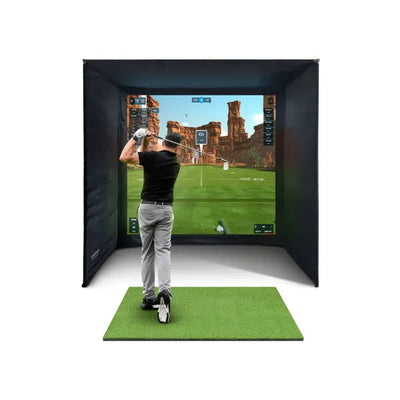
"How long will this actually last?" is one of the first questions I get asked when someone is weighing up a £3,000–£10,000 simulator purchase, and it deserves a proper answer rather than the vague "years and years" you tend to hear from salespeople. The honest truth is that a golf simulator is not one product with one lifespan — it is five or six components that wear out at completely different rates. Your launch monitor will likely become outdated before it breaks. Your impact screen will wear out from sheer shot count. Your projector will fade slowly, your mat will tell you exactly how many balls you have hit off it, and your enclosure frame will probably outlive the lot. Having installed simulators across the UK and fielded the warranty questions that follow, here is my component-by-component breakdown of what lasts, what fails, and what to budget for.
The short answer: 8–10 years for the system, but not all at once
A well-built home simulator should give you a decade of use, but you will replace parts along the way. Think of it like a car: the chassis lasts twenty years, the tyres do not. In simulator terms, the frame and netting are your chassis, while the impact screen and hitting mat are your tyres — consumables that wear in direct proportion to how much you play. The launch monitor sits somewhere in between: physically robust, but exposed to the same technology cycle as your phone.
If you are still at the planning stage, my complete UK golf simulator buyers guide covers how to choose components in the first place. This article is about what happens after the honeymoon period.
Launch monitor: 5–10 years, but obsolescence bites before failure
Here is the thing almost nobody tells you: launch monitors very rarely die. They are solid-state devices with no moving parts, and units like the FlightScope Mevo Gen 2 or the Foresight GC3 are built to commercial standards. I have seen ten-year-old GC2 units still tracking ball flight perfectly well. What actually ends a launch monitor's useful life is software support and feature drift, not hardware failure.
The pattern goes like this. Years one to five: everything works, firmware updates arrive, your device pairs happily with the latest simulator software. Years five to eight: the manufacturer launches a successor, updates slow down, and newer software titles start listing your unit as "legacy supported". Years eight onwards: it still measures ball speed and launch angle just fine, but you cannot get the new course library or the app has stopped being updated for the latest iOS version. Manufacturers like FlightScope have a better record than most here — the original Mevo received firmware updates for years after release — but no company supports hardware forever.
My practical advice: buy from the major manufacturers (FlightScope, Foresight, Garmin, Golfzon) because their install base is large enough that third-party software developers keep supporting old units long after launch. Budget for a launch monitor lifespan of seven to eight years of first-class service, and treat anything beyond that as a bonus. The good news is that resale value on quality units holds up reasonably well, so upgrading mid-life is less painful than it sounds.
Impact screen: the real consumable — measured in shots, not years
Your impact screen has the hardest job in the room. Every shot arrives at up to 180 mph and the screen has to absorb it, stay taut, and still display a crisp projected image. Screens do not wear out by the calendar; they wear out by shot count, and where those shots land.
A quality heavy-duty polyester screen is typically good for somewhere between 10,000 and 30,000 shots depending on material weight, ball type and how centred your dispersion is. The failure mode is predictable: first you notice a grey "bruise" building up in the centre where most shots land, then the fibres start to fuzz, then eventually you get visible pilling or — in extreme cases — small punctures. When I installed a screen for a customer in Kent — a serious single-figure golfer hitting 300+ balls a week — it showed visible centre wear after 18 months of winter practice. Meanwhile, a family playing a couple of casual rounds a week will get five or more years from the same screen.
Three things dramatically extend screen life, and I recommend all of them to every buyer:
- Use clean, undamaged balls. Range balls with logos and scuffs act like sandpaper and leave ink marks. Dirty balls grind grit into the fibres.
- Get your tension right. An over-tight screen takes impacts harder and wears faster; a properly tensioned screen with correct spacing from the frame absorbs energy the way it was designed to.
- Vary your aim point. It sounds trivial, but consciously working different targets spreads wear across the surface instead of drilling one spot.
When the time comes, replacement screens for most enclosure sizes cost far less than people fear — usually a few hundred pounds rather than thousands — and swapping one is a two-person, one-afternoon job. Browse the current options in our impact screens collection, and if you want the deeper technical detail, my impact screens and enclosures guide covers materials and tensioning properly.
Hitting mat: 1–5 years, and quality matters enormously
Mats have the widest lifespan range of any component because build quality varies so much. A cheap thin turf mat can be visibly flattened inside a year of regular use. A premium mat with a dense pile and proper shock-absorbing base will still be playable after five years and tens of thousands of shots.
The wear signs to watch for: a shiny, flattened strike zone; turf fibres that no longer spring back; and — most importantly for your body — a loss of cushioning that starts to send shock up your wrists and elbows on fat shots. That last one is the real reason to replace a mat. I have measured the difference between a fresh premium mat and a three-year-old budget mat, and the compacted one had lost most of its give; your joints pay for that on every heavy strike.
A trick that costs nothing: rotate your mat 180 degrees every few months, and if your mat allows it, move your stance position so the strike zone shifts. That alone can double the working life. Some mats, like the Forza driving range mat with rubber base, use replaceable top sections, so you renew the strike area without buying a whole new mat. For a full rundown of what separates a £100 mat from a £400 one, see my UK hitting mats guide.
Projector: lamp hours are the clock
Projectors fail slowly and predictably, which makes them the easiest component to plan for. Traditional lamp-based projectors are rated for 4,000–6,000 hours in normal mode; laser projectors run to 20,000 hours or more. At five hours of simulator use a week, a lamp projector will need a new bulb (typically £60–£150) after three to four years, while a laser unit will comfortably outlast almost everything else in your room.
The symptom of an ageing lamp is a gradual dimming you barely notice until you replace it and suddenly your fairways are green again. If your image looks washed out and you have owned the projector three years or more, the lamp is almost certainly the culprit before you blame the screen. My advice for anyone buying today: pay the premium for laser. Over a ten-year ownership window it works out cheaper and brighter. My projector guide for UK golf simulators goes into brightness, throw ratios and mounting in detail.
Enclosure, frame and netting: the survivors
Steel enclosure frames essentially do not wear out indoors. A powder-coated frame like the SimBox's will still be structurally perfect in fifteen years. Netting is similarly long-lived inside; the side barrier nets on an enclosure catch far fewer full-speed impacts than the screen and typically last the life of the system. Outdoor cages are a different story — UV exposure and weather degrade netting over five to ten years, which is why I always tell garden cage owners to take netting down over winter if they can, or at least check tension and anchor points each spring after the frost.
Lifespan and replacement cost at a glance
| Component | Typical lifespan | What kills it | Replacement cost (approx.) |
|---|---|---|---|
| Launch monitor | 5–10 years | Software obsolescence, not hardware | £500–£7,000+ depending on tier |
| Impact screen | 10,000–30,000 shots (2–5 years typical) | Centre wear from shot concentration | £200–£600 |
| Hitting mat | 1–5 years | Compacted strike zone, lost cushioning | £100–£500 |
| Projector lamp | 4,000–6,000 hours | Gradual dimming | £60–£150 (bulb only) |
| Laser projector | 20,000+ hours | Very little | £600–£1,500 (whole unit) |
| Enclosure frame | 15+ years indoors | Essentially nothing indoors | Rarely needed |
| Netting (outdoor) | 5–10 years | UV and weather | £50–£200 |
Budgeting for the long term
Here is how I frame it for customers: on a £4,000 simulator, expect to spend roughly £150–£250 a year averaged over the ownership period on consumables — a screen every few years, a mat every few years, a projector lamp somewhere in the middle. That is less than most golfers spend on lost balls and range buckets. The one big-ticket decision is the launch monitor refresh around year seven or eight, and that is a choice, not a necessity — plenty of golfers happily run older units for years beyond that.
It also changes how you should shop. Skimping on the frame or enclosure is fine value-wise because they last forever; skimping on the mat is a false economy because you will buy twice and your elbows will complain in between. The full cost picture, including running costs, is laid out in my UK golf simulator cost breakdown.
Maintenance habits that genuinely extend lifespan
None of this is onerous — perhaps twenty minutes a month:
- Wipe ball marks off the screen with a barely damp microfibre cloth and mild soap; never scrub dry fabric hard.
- Brush your mat against the pile direction monthly to stand the fibres back up, and hoover out rubber tee crumbs.
- Clean the projector filter (if it has one) every few months — a clogged filter overheats the lamp and shortens its life significantly.
- Keep the room ventilated. We noticed that screens and mats in damp, unheated garages age noticeably faster than those in dry rooms; humidity slackens screen tension and encourages mildew on turf.
- Check enclosure fittings and screen bungees quarterly and re-tension as needed.
FAQ
How many shots does an impact screen last?
A quality heavy-duty screen typically handles 10,000–30,000 shots before centre wear becomes distracting. Clean balls, correct tensioning and varying your aim point push you towards the top of that range; dirty range balls hammered at one spot will halve it.
Do launch monitors wear out?
Physically, almost never — they are solid-state devices. The practical limit is software support: after seven to ten years, firmware updates stop and newer simulator software may drop compatibility. Buying from major manufacturers with large install bases delays this considerably.
How often should I replace my hitting mat?
When the strike zone is visibly flattened and no longer cushions impact — typically one to two years for budget mats under heavy use, four to five years for premium mats. Rotating the mat and moving your strike position regularly can double its life.
Is a laser projector worth the extra cost?
For a simulator you plan to keep long-term, yes. A laser unit's 20,000+ hour light source outlasts three or four lamp replacements, holds its brightness better, and removes the most common projector maintenance job entirely.


Free Home Golf Simulator Design Consultation
Not sure on space, screen or launch monitor? Chat directly with Tom, OpenGolfer’s founder — he has designed hundreds of home setups and will tell you exactly what fits your room and budget.
- Send your room size (or a photo) — get a tailored layout and spec for your space, ceiling height included
- Personal replies from a real golfer, not a call centre
- Honest advice on what to buy — and what not to
Usually replies within the hour, 8am–8pm · prefer to talk? 02033 768500


Leave a comment