Build your own bay

Build your own golf simulator bay

Built your own frame, or turning a garage or garden room into a golf room? You don't need a whole enclosure. Buy the parts: an impact screen sized to your frame, padding for the walls, a launch monitor, a PC if it needs one, and a projector mount.

  • Every screen size shown with its price
  • Made-to-measure screens by quote
  • Free 3D room design
A finished home golf simulator room with an impact screen, padded walls and a projected course
Our sim expertsSend your frame size or a photo of the room and we will price every part, and check it all fits together.
Who it's for

You have the space. You need the parts.

Our complete packages come with an enclosure. This page is for everyone who doesn't need one: the frame is built, or the room itself is the bay.

Fitting together the poles of a golf simulator frame on a turf floor

You've built your own frame

Timber, steel or angle iron: we size the screen to the opening and you fix it with bungee cords.

Illustration: a garage golf simulator bay with an impact screen and foam tiles on the walls

A garage bay

A screen across the end, foam tiles on the walls beside it, the projector on the ceiling.

Illustration: a golf simulator in a garden room with bi-fold doors

A garden room

A finished room needs the screen, the padding and the tech, not a full enclosure.

Want a complete bay instead? See our simulator packages, with the enclosure included.

  1. Measure the frameThe screen size follows
  2. Choose a screenStock or made to measure
  3. Protect the wallsPadding, pelmet, bungees
  4. Launch monitor and PCThe heart of the sim
  5. Mount the projectorPlus the HDMI lead
1Measure the frame

Find the screen that fits your frame

Enter the inside opening of your frame. The screen is the frame width minus 20cm and the frame height minus 10cm, so it sits 10cm clear of the frame at the top and on both sides. Then see every stock screen that fits, with its live price, or get one made to measure.

Step 1 · Measure

Your frame's inside opening

Measure inside the frame: from upright to upright, and from the floor to the underside of the top bar. The screen needs 10cm clear of the frame at the top and on both sides, so it hangs flat and the ball never hits the frame.

cm
cm

Enter your frame size to see the screen you need, and every stock size that fits.

Made to measure

A screen cut to your frame

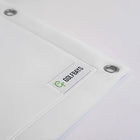
When no stock size fits, GolfBays makes the screen to your exact size, with eyelets round the edge for bungee cords. Choose the screen, then send us the size for a price.

Your screen size: enter your frame first. Made-to-measure screens are priced by quote, and we confirm the lead time before it goes into production.

2Choose a screen

Impact screens for your own frame

All four stock ranges come in several sizes, and every size is listed with its price above. If none fits, the made-to-measure screen is cut to your opening.

Made to measure

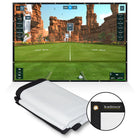
Made-to-Measure Golf Simulator Impact Screen

GolfBays Reversible PRO or Pro+, cut to your frame.

  • Exact size: frame minus 20cm wide, 10cm high
  • Eyelets round the edge for bungees
  • We confirm the lead time first
Priced by quote, to your size
View

SimSpace Elite Impact Screen

The lightest, lowest-cost screen.

  • Single-layer, tight-knit polyester
  • Rated for 4K projection
  • Edge eyelets for bungees
From £199.9910 sizes
View
Want a grey screen?The stock screens on this page are white. A grey screen for your own frame is a made-to-order supplier item: ask our experts and we will check the sizes and price it for you.
3Protect the walls

Padding, pelmet and fixings

Do you need side nets? In a room of your own, high-density foam tiles on the walls beside and above the screen shield them from mishits, without netting. A pelmet dresses the screen's edges and covers the fixings. Leave at least 30cm between the screen and the wall behind it, and fix the screen with a bungee through every eyelet.

You will need these

GolfBays Bungee Cords (Pack of 20)

A bungee through each eyelet and round the frame holds the screen flat.

  • Pack of 20 with a carry bag
  • Even tension on every side
£19.99
View
4Launch monitor and PC

Choose the launch monitor first

It decides whether you need a PC, how high the ceiling must be and where the cables go. The Garmin R50 runs its own simulator, so it needs no PC. Ceiling-mounted units need a Windows gaming PC for everything.

Ceiling

Uneekor EYE XO Launch Monitor

Two cameras on the ceiling at 2.7 to 3.0m, 1.07m in front of the ball.

  • Measured face angle, loft, lie and impact point (club stickers)
  • Needs a Windows gaming PC by the 15m LAN cable
£6,499.00
View
Ceiling

ProTee VX Launch Monitor

Two cameras on the ceiling at 2.74 to 3.05m, about 1m in front of the ball.

  • No stickers, no marked balls
  • ProTee Labs software, no subscription
  • Needs a Windows gaming PC by Ethernet
£6,240.00
View
Ceiling

Uneekor EYE XR Launch Monitor

Two cameras on the ceiling at 2.7 to 3.0m, 1m behind the ball.

  • No stickers, any ball
  • Needs a Windows 11 gaming PC by CAT6
£5,999.00
View

Uneekor Eye Mini

Two cameras on the floor beside the ball; lifts out to store.

  • Spin read from any ball
  • Needs a Windows PC by CAT6 for courses
£2,999.00
View

More units, side by side: all launch monitors or the launch monitor finder.

The PC, if your launch monitor needs one

For 4K and Uneekor

Golf Simulator Gaming PC (4K Spec)

Core i7-12700KF, RTX 5070 Ti 16GB, 32GB RAM, 1TB SSD.

  • Meets E6 Golf 2026, GSPro and Uneekor VIEW and REFINE minimums
  • Built and supported by GolfBays
£2,590.00
View
For 1080p

Golf Simulator Gaming PC (HD Spec)

Core i7-12700KF, RTX 5060 Ti 8GB, 16GB RAM, 1TB SSD.

  • Meets GSPro, E6 Connect and Foresight minimums at 1080p
  • Not for E6 Golf 2026 or Uneekor software
£1,790.00
View
With a Garmin R50, skip the PC.The R50 sends 1080p to the projector on its own. Add a PC only if you want to run GSPro in 4K.
5Mount the projector

The projector, the mount and the lead

Without an enclosure the projector goes on a ceiling mount, above and behind the hitting area, with the lens at the projector's throw distance from the screen and clear of the swing. It needs a fixing point that takes the mount and the projector, with power and the HDMI lead arriving there before any ceiling is closed. Work out the distance with our projector distance calculator.

1080p

BenQ AH700ST Golf Simulator Projector

4,000-lumen laser that detects the screen and fits the picture to it.

  • Throw 0.69 to 0.83, sits further back
  • HDMI eARC for a soundbar
£1,759.00
View
Not in the box

4K/8K HDMI 2.1 Cable 10m

One lead carries picture and sound to the projector.

  • HDMI 2.1, 48Gbps, covers 4K later
  • Measure the route plus a metre spare each end
£29.99
View
With a Garmin R50, a 1080p projector is all you need.The R50's HDMI output is 1080p at most, so a 4K projector only pays off with a 4K PC.

And something to hit from

FORZA Golf Tee Turf Mat

Range-grade tee turf, from 1m squares to wall-to-wall sizes.

  • Six sizes up to an 18 × 4m roll
From £99.996 sizes
View
Price my parts

Send us your list, we'll price the lot

Tap "Add to my list" on any part above, add your frame size in step 1, and send it. Our experts will price everything together, check the parts work with each other and your room, and tell you if anything is missing.

My parts list

Nothing added yet. You can still send us a message and tell us what you need.

Questions

What people ask before they build

These come straight from the messages we get from people building their own bay.

I don't need the frame. Can I just buy a screen?

Yes. Choose a stock screen in the size that fits your frame (every size is listed above with its price), or have one made to measure. You fix it to your frame with bungee cords through the eyelets.

Which size is the screen I'm looking at?

Each stock screen size is listed in step 1 as width × height with its own price. Enter your frame and the sizes that fit are highlighted, with the gap they leave to the frame.

How big should the screen be for my frame?

The frame width minus 20cm, and the frame height minus 10cm. That keeps the screen 10cm clear of the frame at the top and on both sides. A 370 × 270cm frame takes a 350 × 260cm screen. Leave at least 30cm of space behind the screen as well.

Do I need side nets, or can I pad the walls?

Not in a room of your own. High-density foam tiles on the walls beside and above the screen shield them from mishits without netting, and a pelmet protects the screen's edges. Tell our experts your layout and we will say how many tiles it takes.

How do I fix the screen to my frame?

Loop a bungee cord through each eyelet on the screen and round the frame, with even tension on every side, so the screen hangs flat without straining the eyelets.

Can I get a grey screen?

The stock screens on this page are white. A grey screen for your own frame is a made-to-order supplier item: send us the size and we will check it and price it.

Do I need a PC?

Only if your launch monitor needs one. The Garmin R50 runs its own simulator and sends 1080p to the projector. Ceiling units such as the Uneekor EYE XO and ProTee VX need a Windows gaming PC for everything.