
Your Garmin Approach® R50, from first look to first round
Set-up, software, the room, the kit that fits it and the fixes for the things that go wrong, all in one place. The facts come from Garmin's own manual and support pages; where Garmin doesn't say, we tell you.

Thinking about an Approach® R50
See what it does, check your room, then let our sim experts plan it with you.
- The R50 Experience CentreHow it measures, Home Tee Hero, sizes↗
- The R50 Room GuideSizes, ceiling and projector↗
I own an Approach® R50
Get set up, get on the courses and get it reading every shot.
Getting started
From the box to your first shot on the big screen.
Six steps, in the order you'll meet them. Every placement and connection detail is from Garmin's R50 owner's manual (January 2026); the room advice is ours.
 01
01Unbox and switch on
In Garmin's box: the R50, a carrying case, the AC adapter and power cord, 250 club tracking stickers and the paperwork. Press the button and the R50 walks you through language, Wi-Fi and your Garmin account. A guest profile is fine for visitors; their data stays on the unit.
 02
02Put it 0.5m beside the ball
Garmin's manual says about 0.5m (1.5ft) to the side of the tee, facing it, at roughly the same height as the ball. It doesn't need levelling. So it takes no extra depth behind you, which is why an R50 suits a garage. Keep shiny floors, mirrors and glass out of its view.
 03
03Power and battery
The built-in battery lasts up to 4 hours, and you can play while it charges. Charge only with the included adapter and cable: the USB-C port is for updates. After 20 minutes idle it drops to standby. For a room, plug it in at a socket by the mat and forget the battery.
 04
04Connect the big screen
One HDMI lead from the R50's A/V port, behind the cable door, to the projector or TV. The R50 outputs up to 1080p, so a 1080p projector is all Home Tee Hero needs, and there's no PC in the chain. Then Settings, External Display: set the aspect ratio to your screen and centre the picture with Center Line Offset.
 05
05Pair the Garmin Golf app
The free Garmin Golf app on your phone shows your shot history and stats, synced through your Garmin account. You don't need it to play. It's also where you can start the Garmin Golf membership that unlocks Home Tee Hero's courses.
 06
06Keep the software current
On Wi-Fi the R50 downloads and installs updates by itself; Settings, Software Update checks on demand. Without Wi-Fi in the garage, use Garmin Express on a computer and a USB-C cable. Going away for the winter? Garmin says charge it to at least 50% before long storage.
Watch Garmin’s films

Unboxing Approach® R50 | Golf simulator and launch monitor What comes out of Garmin's box, piece by piece.
Video: Garmin, on YouTube
Plug and play | Approach® R50 From the box to playing, the way Garmin shows it.
Video: Garmin, on YouTube
In Garmin's box
- Approach® R50 launch monitor and simulator
- Carrying case
- AC adapter and power cord
- 250 club tracking stickers
- Documentation
- No HDMI cable. Garmin's manual asks for a standard HDMI cable that carries at least 1080p, and says it isn't included.
Source: Garmin UK's R50 page, In the box, and the owner's manual. Checked 25 October 2026.
In our Approach® R50 room package
- Everything in Garmin's box, as above
- SimSpace enclosure and impact screen, in the size you pick
- BenQ AH500ST projector and SimSpace floor case
- SimSpace Tee Turf hitting mat
- A 10m HDMI 2.1 cable, R50 to projector
Bought the R50 on its own? Add a cable: the 10m HDMI 2.1 cable reaches round the edge of most bays. The package page lists all seven items.
Software
The simulator is already on it.
Home Tee Hero is Garmin's own course game, and on the R50 it comes pre-installed: no app to download, no PC, no phone on a tripod. It runs on the unit and goes to the projector down the one HDMI lead. Course play needs a Garmin Golf membership; the driving range doesn't.

43,000+ courses
Your home club, a venue the pros play or next summer's golf trip. Every course has forward tees, set by average drive distance.

Realistic simulation
Desert, grassland and tropical settings, with shot physics and green friction tuned by Garmin.

Enhanced courses
15+ courses carry high-resolution lidar data on every green and truer tree cover.

On-course practice
Drop a ball anywhere on any hole and hit it again. Made for the approach that keeps catching you out.

Local multiplayer
Garmin's Home Tee Hero page says up to 8 players, in Stroke Play, Stableford, Match Play or Skins.

Weekly tournaments
A new course each week against golfers around the world. Replay it as often as you like. Putting is off in tournaments.
Watch Garmin’s films

Home Tee Hero Has Evolved | Garmin Golf
The course game the R50 runs, in Garmin's own film.
Video: Garmin, on YouTube
Home Tee Hero gets even better
Garmin's round-up of the latest Home Tee Hero upgrades.
Video: Garmin, on YouTube
4 features Al Geiberger Jr. uses most on Approach® R50 A PGA professional walks through the R50 features he uses most.
Video: Garmin, on YouTube
Screens: frames from Garmin's Home Tee Hero film. Features as Garmin lists them on its Home Tee Hero page (checked 25 October 2026).
Unlocks the courses
Garmin UK's prices, with a free 30-day trial. It renews for the same term unless you change or cancel. Buy it on the R50 under Settings, Profile, or in the Garmin Golf app.
Without a membership
- The driving range, with full ball and club data
- High-speed impact video of each shot
- Saved sessions and shot history in the free Garmin Golf app
Virtual rounds, on-course practice and the weekly tournament need the membership, says Garmin's manual.
GSPro, E6 Connect, Awesome Golf
From the R50's home screen, Connect links it over Wi-Fi to a compatible simulator program on a separate computer, which draws the course instead. GSPro and Awesome Golf list the R50; Garmin's staff say E6 Connect is supported. You pay those makers, not Garmin.
For 4K graphics, a Windows gaming PC runs GSPro and a 4K projector shows it. The R50 itself stays at 1080p.
Your room
APPROACH® R50 → projector → screen.
The R50 stands beside the ball and measures the shot. One HDMI lead takes Home Tee Hero to the projector, and the impact screen stops the ball. Nothing else sits in between.
- 1R50 measures the shot · 0.5m beside the ball
- 2Projector shows Home Tee Hero · floor case, 2.04m from the screen; ceiling mount is the other option
- 3Impact screen takes the ball · ball 2.5m from the screen
Drawn for SIM 2 (3.0 × 2.5 × 1.5m inside) in the room we plan for it: 3.26m wide, 4.2m long, 2.7m ceiling. The R50 position is from Garmin's owner's manual.
Seven bays
SIM 0 to SIM 6: which fits your room.
These are the room sizes we plan for, with 30cm clear behind the screen and 8cm each side of the frame. The ceiling decides more rooms than the floor does. Each size links to that R50 room package at today's price.
-
SIM 0Rooms short on depth
- Bay inside (W × H × D)
- 3.3 × 2.5 × 1m
- Impact screen
- 3.1 × 2.3m · 4:3
- Room we plan for (W × L)
- 3.56 × 4.2m, 2.7m ceiling
- Projector lens to screen
- 2.04m
-
SIM 1Single garages
- Bay inside (W × H × D)
- 2.6 × 2.5 × 1.5m
- Impact screen
- 2.4 × 2.3m · 1:1
- Room we plan for (W × L)
- 3.0 × 4.2m, 2.7m ceiling
- Projector lens to screen
- 2.04m
-
SIM 2Most garages
- Bay inside (W × H × D)
- 3 × 2.5 × 1.5m
- Impact screen
- 2.8 × 2.3m · 4:3
- Room we plan for (W × L)
- 3.26 × 4.2m, 2.7m ceiling
- Projector lens to screen
- 2.04m
-
SIM 3Wider rooms
- Bay inside (W × H × D)
- 3.6 × 2.5 × 1.5m
- Impact screen
- 3.4 × 2.3m · 4:3
- Room we plan for (W × L)
- 3.86 × 4.2m, 2.7m ceiling
- Projector lens to screen
- 2.04m
-
SIM 4Double garages
- Bay inside (W × H × D)
- 4 × 2.5 × 1.5m
- Impact screen
- 3.8 × 2.3m · 16:10
- Room we plan for (W × L)
- 4.26 × 4.2m, 2.7m ceiling
- Projector lens to screen
- 2.04m
-
SIM 5High ceilings
- Bay inside (W × H × D)
- 3 × 3 × 3m
- Impact screen
- 2.8 × 2.8m · 1:1
- Room we plan for (W × L)
- 3.26 × 4.3m, 3.1m ceiling
- Projector lens to screen
- 2.48m
-
SIM 6Dedicated sim rooms
- Bay inside (W × H × D)
- 4 × 3 × 3m
- Impact screen
- 3.8 × 2.8m · 4:3
- Room we plan for (W × L)
- 4.16 × 4.3m, 3.1m ceiling
- Projector lens to screen
- 2.48m
- Between sizes, or a low ceiling?
Send our sim experts your three numbers or a photo. We'll show you the options rather than say no.
Approach® R50 Discovery Consultation
Upgrades and accessories
Kit that suits an Approach® R50 room .
Everything here is something we sell and plan into R50 rooms. Started with the unit on a net? The enclosure, projector, case and cable turn it into a simulator. Prices are today's.
-
Enclosure
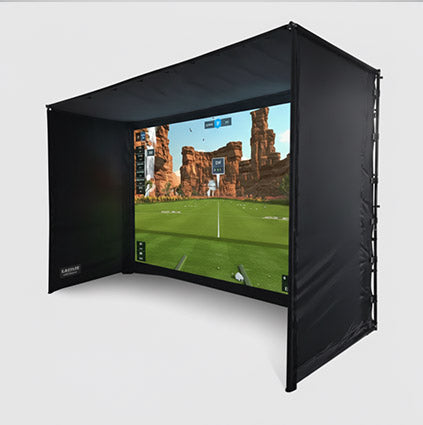
SimSpace golf enclosure, SIM 0 to SIM 6
The bay itself: frame, impact screen and velour side and ceiling panels, in seven sizes. Turns a corner of the garage into a room.
From £999.99
-
Impact screen
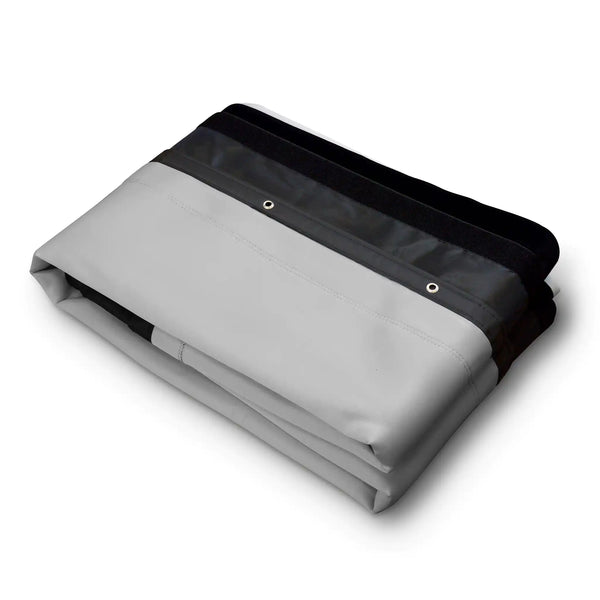
SimSpace UltraMAX Grey Replacement Enclosure Screens
A replacement screen cut for SimSpace enclosures, with the toggles and Velcro in the right places. For a worn screen, or a step up.
From £599.99
-
Hitting mat
SimSpace Tee Turf Mat 1.5 x 1.5 m
1.5 × 1.5m and it takes a real wooden tee. It has its own base, so no rubber base to buy. The R50 sits on the turf beside you.
£289.99
-
Putting turf
GolfBays Premium Putting Turf
16mm pile, 4m wide and cut to length, for putting out on Home Tee Hero. The 11mm turf rolls quicker for less.
From £144.00or the 11mm turf from £96.00 ↗
-
Projector
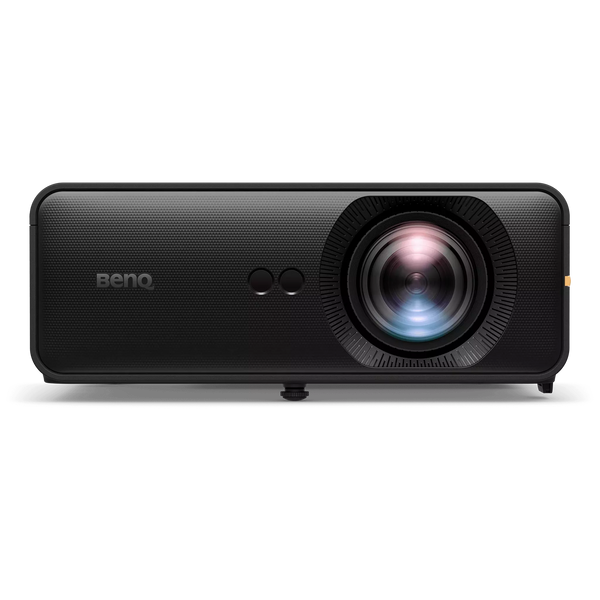
BenQ AH500ST Golf Simulator Projector
Short-throw laser that fills a 2.3m-high screen from 2.04m, in front of you so there's no shadow. A 1080p picture, which is what the R50 sends.
£1,780.00
-
Floor case
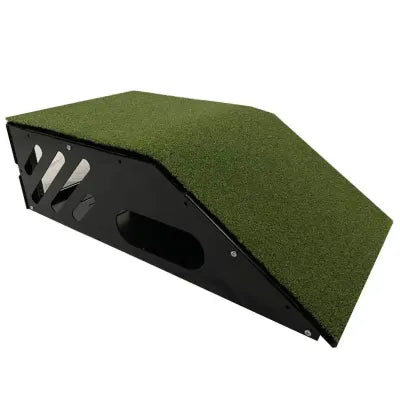
Simspace Floor Projector Case
Steel case with a turf top for the projector. It sits on the floor between the mat and the screen, so nothing is fixed to the ceiling.
£189.99
-
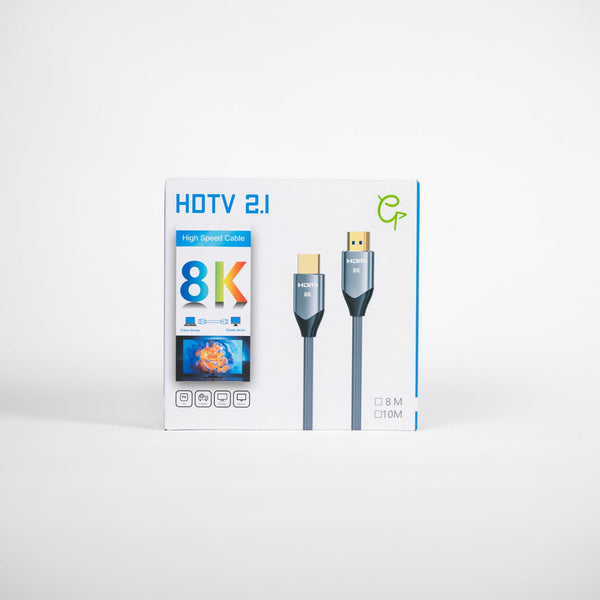
HDMI cable
4K/8K HDMI 2.1 Cable 10m
10m, R50 to projector. Garmin's box has no HDMI lead; our R50 room package includes this one.
£29.99
-
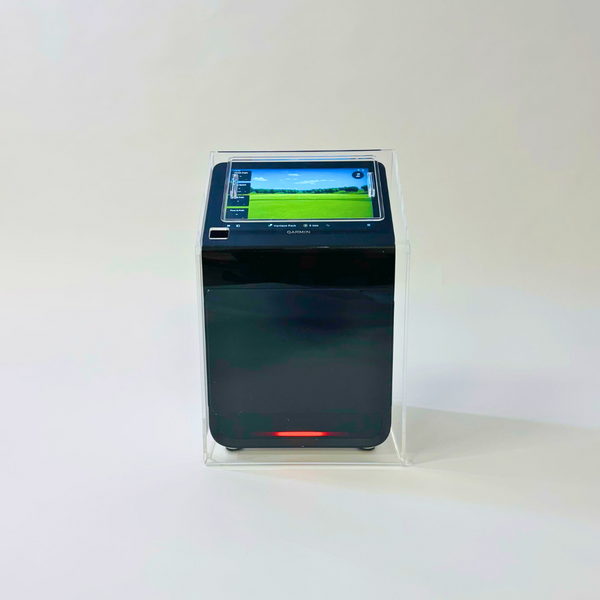
Protective case
Garmin Approach® R50 Protective Case
Clear acrylic case made for the R50: guards against knocks and stray shots, with the screen still visible and a removable panel to reach it.
£249.00
-
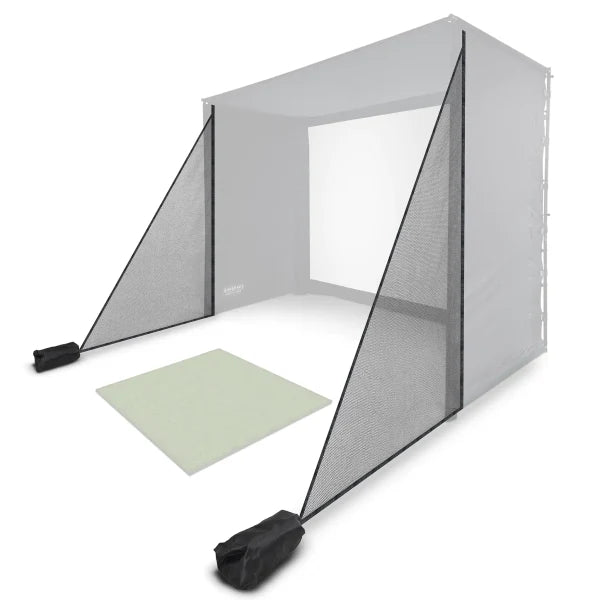
Side netting
SimSpace Side Netting 1.5 x 2.5 Mtr
Catches mishits at the open sides of a standalone bay. An add-on: our room packages don't include it.
£99.99
-
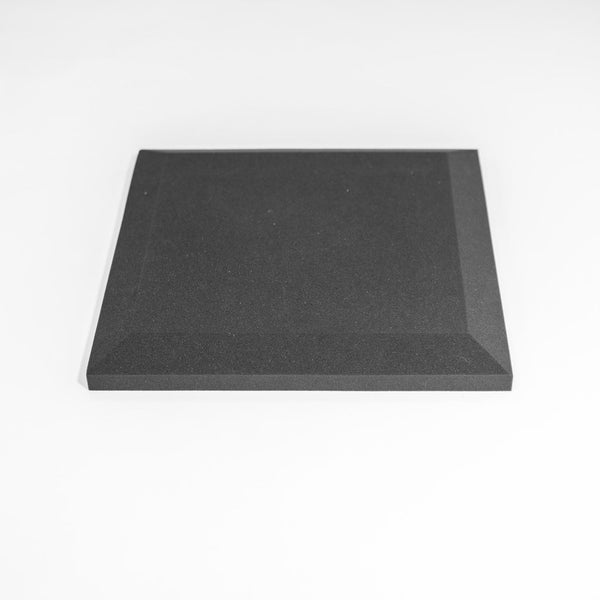
Wall padding
Premium Wall Foam Tiles Bevelled (Pack of 10) Black
50 × 50cm high-density foam tiles; a pack of 10 covers 2.5m². Garmin's manual asks for padding to cut ricochet: these do it for the walls.
£140.00


Not sure what you need? Our sim experts can check it against your room before you order.
Troubleshooting
When it isn't reading every shot.
The problems owners hit most, with the fix Garmin gives in its manual and support articles, and a link to Garmin's own page for each.
01The light won't go green
The R50 hasn't found the ball. Move the ball until it sits inside the hitting area on the R50's screen (its shape changes when club data is on). Garmin's support pages say the light shows red when the ball is out of the zone and green when it's in. Then wait for a solid green before you swing.
02It misses shots
Garmin lists the usual causes: a shiny or polished floor, reflective trainers or socks, a mat the same colour as your ball, plastic or foam practice balls, and spotlights on the hitting area. Hit off a mat, use a regulation ball and keep a steady tempo, because a pause mid-swing can also cause a missed or false read.
03The numbers don't match the range
Set the ball flight conditions (elevation, humidity, temperature, wind) to match where you usually play: they change carry distances. Garmin also points out that range markers can be out, the R50 assumes a flat range, and carry and total distance are different numbers. Turn the ball's logo to face the unit and replace scuffed balls.
04No club data
Club data needs one of the included stickers on the top centre of the face. Keep it clear of white markings, replace it once it's worn or dirty, and keep strong sunlight off the club face. Your putter doesn't need one: Garmin doesn't record club data for putts.
05Shots start left or right of where I'm aiming
The target line runs parallel to the front of the R50, so square the unit up first. In a driving range session you can adjust Target Alignment by up to 10 degrees either way. On the big screen, Settings, External Display, Center Line Offset moves the picture so the ball starts from where you're standing.
06The projector says no signal, or the picture is the wrong shape
Check the HDMI lead is in the A/V port behind the cable door, the projector is on that input, and the cable carries at least 1080p. Some cables have a source end: that goes into the R50. The External Display menu only appears once a screen is connected. Set Aspect Ratio there to match your screen (Garmin offers 16:9, 16:10, 5:4, 4:3 and 3:2); a new display resets it.
07There's no sound
The R50 sends its in-game sounds down the HDMI lead to the screen, or to a Bluetooth speaker paired in Settings. Check In Game Sounds is switched on. Owners on Garmin's forum report that Practice Mode can go quiet over HDMI until the lead is unplugged and reconnected; Garmin's published changelogs don't mention a fix yet.
08It won't turn on, or it has frozen
If it has been somewhere very hot, it may have overheated: Garmin gives an operating range of -10°C to 55°C, so move it somewhere cooler and wait. If it has stopped responding, hold the button for six seconds, then press it again. That keeps your saved data, though you may lose the session you were in.
09It won't join the Wi-Fi
Garmin lists the R50's radio at 2.4GHz, so pick your router's 2.4GHz network rather than the 5GHz one. Retry from Settings, Wi-Fi. If it still won't connect, Factory Reset has a Reset Wi-Fi & Bluetooth option that clears only the network settings.
Still stuck? Garmin's R50 support topics cover more, and Settings, Help & Support on the R50 can send a diagnostic report to Garmin.
FAQ
What Approach® R50 owners ask us.
Is an HDMI cable in the box?
Not in Garmin's box. Garmin's manual says to use a standard HDMI cable that can carry at least 1080p, and that one isn't included. Our Garmin Approach® R50 room package is different: a 10m HDMI 2.1 cable is one of its seven items, so the room arrives ready to connect. If you bought the R50 on its own, add a cable long enough to run round the edge of the bay to the projector.
Do I need a PC or laptop?
Not for Garmin's own software. The R50 runs the driving range and Home Tee Hero on its 10-inch screen and sends the picture to a projector or TV over HDMI. You only need a separate computer for third-party software such as GSPro, E6 Connect or Awesome Golf.
What does the Garmin Golf membership cost?
Garmin UK lists it at £8.99 a month or £89.99 a year, with a free 30-day trial (checked 25 October 2026). It renews automatically for the same term unless you change or cancel it. You can buy it from your profile settings on the R50 or in the Garmin Golf app.
What can I do without a membership?
The driving range and its shot data, impact video and saved sessions. Garmin's manual says virtual rounds, on-course practice and the weekly tournament need a Garmin Golf membership.
Does the Approach® R50 work for left-handers?
Yes. Set Handedness in Settings, Profile, then stand the R50 on the other side of the ball, still about 0.5m away and facing it. If two of you share the bay, mark both spots on the mat.
How do I update the Approach® R50?
Over Wi-Fi it downloads and installs updates by itself, and you can check from Settings, Software Update. Or connect it to a computer with a USB-C cable and use Garmin Express.
Can I charge it with a USB-C cable?
No. Garmin's manual says the USB-C port is for software updates only. Charge it with the included AC adapter and power cable, and play while it charges if you like. A full battery lasts up to 4 hours.
What warranty does the Approach® R50 have?
Garmin's consumer limited warranty covers its non-aviation products for two years from the date of purchase against defects in materials or workmanship. Garmin repairs or replaces failed parts; it excludes cosmetic damage, accidents and misuse. Start with support.garmin.com, and tell our sim experts too if you bought it from us.
What happens in the Approach® R50 Discovery Consultation?
You message our sim experts on WhatsApp with your space and goals: room size, how you'll use it, budget and software. Then a quick 15 to 20 minute call at a time that suits you, and your own R50 plan, the unit on its own or a full room with a 3D design. It's free, and our sim experts are on WhatsApp 6am to 10pm.
Support and warranty
Who to ask, and for what.
Garmin supports the R50 itself. We help with the room around it, and with anything you bought from us.
Two-year warranty
Garmin's consumer limited warranty covers its non-aviation products against defects in materials or workmanship for two years from purchase. Garmin repairs or replaces parts that fail in normal use; it doesn't cover cosmetic damage, accidents or misuse, and you pay to send it in.
Garmin asks you to try its online help first, then contact a Garmin service centre in the country you bought it.
The room, the kit, the plan
- Planning, extending or moving your room
- Which accessories and screen sizes fit
- Home Tee Hero or GSPro, and what a PC adds
- Set-up questions on kit you bought from us
On WhatsApp, 6am to 10pm.
Bought your Approach® R50 from us?
Tell the next buyer how it went. A short review on Trustpilot, good or bad, helps someone else decide.
Ask what's on this month.
Offers on the Garmin Approach® R50 change through the year. Book your free Approach® R50 Discovery Consultation and our sim experts will set out the current offer for your room, with its price and end date, alongside your R50 plan.

Thinking about an R50? Plan it with us.
Tell our sim experts about your space on WhatsApp. We’ll capture your requirements, book a quick call and show you the right R50 setup, with a free 3D design if you’re building a room.
- 01WhatsApp usOne tap, the message is written
- 02Your space and goalsRoom size, use, budget, software
- 03A quick call15 to 20 minutes, booked to suit you
- 04Your R50 planUnit or full room, with a 3D design
- 05The current offerPrice and end date, in writing
- 06Order when readyInvoice or basket link