
Damp, Cold & Condensation: Protecting Golf Simulator Kit in UK Garages & Garden Rooms

British buildings try to kill electronics. Not dramatically — slowly, over one winter, through damp air and cold surfaces. Every February I get a version of the same WhatsApp message: a projector showing a misty patch, a sim PC that will not boot, a launch monitor lens that fogs the moment practice starts. Almost none of it is faulty kit. It is condensation, and in a UK garage or garden room it is entirely predictable and almost entirely preventable — mostly with fixes that cost less than a dozen range balls. Here is why it happens, which kit is actually at risk, and the fixes in order of cost.

Why condensation happens (the two-minute version)
Warm air holds more moisture than cold air. When moist air meets a surface colder than its dew point, the moisture comes out of the air and onto the surface — that is the film on a cold beer glass, and it is exactly what happens on a cold projector lens or a cold circuit board.
A UK garage in winter sets this trap perfectly. The building sits at outdoor temperature overnight, so everything inside it — projector, PC, launch monitor, the steel of the enclosure — cold-soaks to maybe 3–5°C. Then you arrive for a session: you put a fan heater on full, and you add your own breath and body moisture to the air. The air warms quickly; the kit, with its thermal mass, warms slowly. For the next half hour every cold surface in the room is below the dew point of the newly warmed, newly humidified air — and moisture condenses straight onto your electronics. The worst possible pattern for simulator kit is precisely the most common one: rapid blast-heating of a cold room right before you use it. The Met Office has a good plain-English explainer on humidity and dew point if you want the underlying science.
Which kit is actually at risk
Not everything in a simulator cares about damp equally, and knowing the ranking tells you where to spend effort.
| Kit | Risk | Why |
|---|---|---|
| Projector | High | Optics fog and, over repeated cycles, can grow mould inside the lens assembly; powered dust-warm-damp cycling is hard on lamps and boards |
| Sim PC / laptop | High | Condensation on cold boards plus power is the classic failure; connectors corrode over a winter |
| Launch monitor | Moderate | Reasonably well-sealed units, but camera lenses and radar assemblies dislike fogging, and it is usually the priciest portable item in the room |
| Impact screen | Low | Can develop mildew spots in a persistently damp room, but damp will not kill it |
| Hitting mat | Low | Genuinely does not care; dry it if it gets wet, job done |
| Enclosure frame | Low | Powder-coated steel shrugs off garage humidity for years |
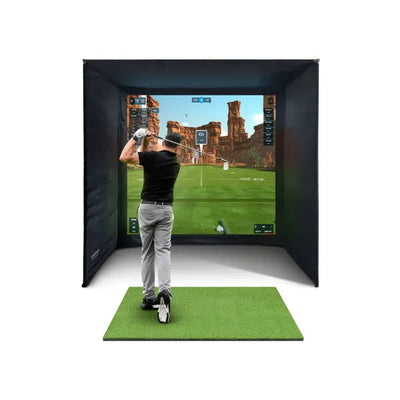
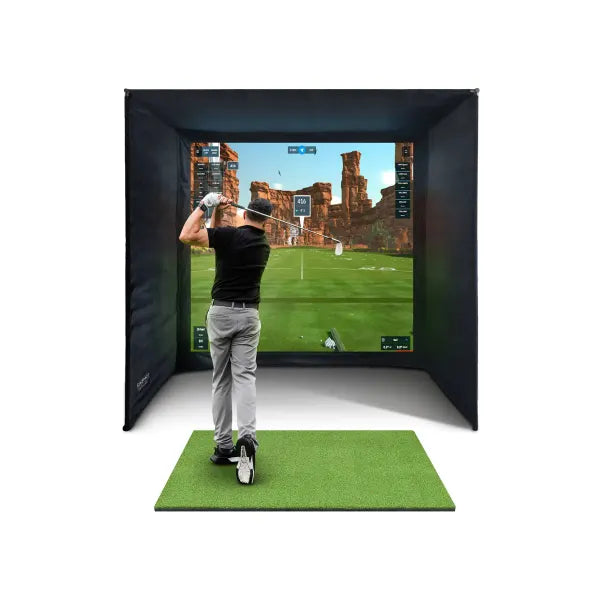
So the game is really about three items: projector, computer, launch monitor. Protect those and the rest of a setup like the GolfBays SimBox enclosure — frame, screen, side barriers — will live happily in a garage indefinitely.
The fixes, in cost order
1. Free: change the habits
Ventilate after sessions — you have just added an hour of breath and warm moist air to a cold box, so crack a door or window for ten minutes on your way out rather than sealing it all in. Never dry washing in the sim room (it happens more than you would think in garages). And park the car outside if it shares the space: a rained-on car releases litres of water into the air as it dries.
2. £10: a hygrometer, so you are not guessing
A cheap digital hygrometer tells you the room’s relative humidity at a glance. I keep one velcroed to my own enclosure upright and glance at it the way you glance at a fuel gauge. The number you care about is roughly 60% RH: consistently under it and condensation risk is low; consistently over it, especially in a cold room, and you are in the danger zone. Measurement first — it tells you whether you need anything else on this list.
3. £30–£50: a small dehumidifier
For a garage or garden room used a few times a week, a compact dehumidifier running between sessions is the single best pound-for-pound protection on this list. It drags the baseline humidity down so that when you do warm the room, the air has less moisture to dump on your kit. Empty the tank weekly and let the hygrometer tell you it is working. In really damp buildings step up to a larger compressor unit, but start small — a customer in Harrogate rang me last February convinced his projector had died mid-winter; it was lens fogging, and a small dehumidifier plus the heating change below cured it completely. Same projector, still going.
4. Pennies a day: background heat beats blast heat
This is the counterintuitive one. A low-wattage tube heater on a frost-stat thermostat — the kind sold for greenhouses, drawing 60–120W — keeps the room and, crucially, the kit a few degrees above outdoor temperature all winter. That does two things: it stops the kit ever fully cold-soaking, and it keeps relative humidity down (warmer air, same moisture, lower RH). Then when you arrive to play, the fan heater is topping up a cool room rather than shock-heating a cold one, and the dew-point crossing that causes condensation mostly never happens. Blast heating a cold-soaked room is the worst pattern; gentle always-on background heat is the best. The running cost of a tube heater over a winter is genuinely small — it is the cheapest insurance the projector will ever get.
5. The big job: insulate the building
Honesty required here: insulating a single-skin garage properly — walls, roof, the door — is a real project, not a weekend tweak. It is also transformative, because an insulated building barely cold-soaks at all, which removes the root cause rather than managing symptoms. If you are weighing up garage conversion against a purpose-built insulated garden room, our garden golf room guide walks through the building side properly. For most garage owners the realistic path is steps 1–4 now, insulation when the room earns it.
6. Covers, and the winter launch-monitor rule
Two finishing touches. Cover the projector and PC between sessions with a breathable cover or even a cotton sheet — it keeps settling damp and dust off, and unlike a plastic bag it does not trap moisture against the kit. And in the coldest months, simply bring the launch monitor indoors between sessions. It is the most expensive item you can carry in one hand; sixty seconds of admin moves it from a 4°C garage to a dry 20°C hallway shelf. Every winter we have customers whose monitors live indoors and commute to the garage, and after two winters of recommending it I have yet to hear a fogging complaint from anyone who does.
Storage conditions vs use conditions
One distinction worth understanding: most electronics tolerate being stored colder than they tolerate being used, and manufacturers publish both ranges. A launch monitor sitting switched off at 3°C is generally fine; problems come at the transitions — cold kit brought quickly into warm moist air, or powered up while condensation is still forming on it. The practical rule: when kit has cold-soaked, let it warm gently and reach room temperature before powering it, and if you can see any fogging on a lens or screen, wait until it clears. Twenty patient minutes has saved many a board.
It is also worth saying that this whole problem is smaller with a well-chosen setup. A camera-based bundle like the Foresight GC3S sim bundle concentrates the value in one portable unit you can winter indoors, and the room-based kit that stays behind is the tolerant stuff.
A GARAGE-PROOF SIMULATOR, DONE PROPERLY
The FlightScope Mevo Gen 2 home simulator bundle — launch monitor, enclosure, impact screen and mat from £2,498 — is the setup we spec most for UK garages: the monitor winters indoors, and everything that stays behind shrugs off the damp.
See the Mevo Gen 2 sim bundle →Frequently asked questions
Will condensation damage a golf simulator in a garage?
Left unmanaged, yes — projectors and PCs are the vulnerable items, and the classic damage pattern is blast-heating a cold room so moisture condenses on cold electronics. A hygrometer, a small dehumidifier and low-level background heat prevent almost all of it for well under £100.
What humidity level should a golf simulator room be?
Aim to keep relative humidity under roughly 60%. A £10 digital hygrometer tells you where you stand; a compact dehumidifier and gentle background heating are the two levers that bring the number down in a UK garage or garden room.
Should I heat my garage golf simulator all the time?
Not fully — but a low-wattage tube heater on a frost stat, holding the room a few degrees above outside temperature, is the best condensation protection there is. It stops kit cold-soaking, so the pre-session warm-up no longer causes moisture to form on lenses and boards. It costs pennies a day to run.
Can I leave a launch monitor in a cold garage over winter?
Storage in the cold is usually within manufacturers’ tolerances; the risk is at the transitions and during use. Our standing winter advice is simpler: bring the launch monitor indoors between sessions. It is the priciest portable item in the room and it takes a minute to carry in.


Free Home Golf Simulator Design Consultation
Not sure on space, screen or launch monitor? Chat directly with Tom, OpenGolfer’s founder — he has designed hundreds of home setups and will tell you exactly what fits your room and budget.
- Send your room size (or a photo) — get a tailored layout and spec for your space, ceiling height included
- Personal replies from a real golfer, not a call centre
- Honest advice on what to buy — and what not to
Usually replies within the hour, 8am–8pm · prefer to talk? 02033 768500


Leave a comment