

The SimSpace 21.5in touchscreen is a stand-mounted Android tablet for the hitting bay. It suits launch monitors whose own app runs on Android, above all Square Golf and the Rapsodo MLM2PRO, and it adds nothing to a PC-based room or a Garmin Approach® R50. Check your launch monitor's Android floor before you buy. That is the whole decision.

Everything below comes from SimSpace's product page and the launch-monitor makers' own requirements pages. We have not run one for a season, so where a maker's minimum spec sits above what this screen offers, we say so rather than guess.
What it is, and what it isn't
Think of it as a large Android phone on a stand, not a monitor. The panel is 21.5in, Full HD (1080 × 1920) with 10-point touch, and it runs Android 15 with the Google Play Store. Wi-Fi 5 on 2.4 and 5 GHz plus Bluetooth 5.0 handle the connection to your launch monitor. An 18,000 mAh battery sits inside, with a mains adapter in the box, so a session needs no cable trailing across the mat. The stand gives a 360° rotating base and a ±90° swivel bracket, which means portrait for a scorecard and landscape for a range screen.
The one port is USB-C with OTG. There is no HDMI in, no HDMI out and no DisplayPort. SimSpace states plainly that it cannot be wired to a PC, laptop or projector. It is a host for apps, not a display for somebody else's computer. That's the catch, and it decides who this is for.
In the box: the screen, the swivel stand and the mains adapter. The SimSpace 21.5in touchscreen and stand is on our site with the live price and the full spec table.
Which launch monitors run on it
The rule is simple. A launch monitor works with this screen only if its maker publishes an Android app on Google Play, and only if this screen meets that app's stated minimum. Here is where each unit we sell stands, from the makers' own pages, checked in November 2026. Our Sim Buyer Docs page on golf simulator software by launch monitor carries the full matrix with sources.
| Launch monitor | Maker's app on Android? | Maker's stated Android minimum | On this screen |
|---|---|---|---|
| Square Golf and Square Golf OMNI | Yes. The Square Golf app is free on Google Play, Windows and iOS | No RAM or chip floor published; the app pairs over the on-screen Bluetooth connector | Best fit |
| Rapsodo MLM2PRO | Yes. Rapsodo app on Google Play | Android 10 or later, phones and tablets with native Google Play | Good fit |
| Golfzon WAVE | WAVE M and WAVE Skills run on Android; Vision WAVE is PC only | Not published on the pages we checked | Check with Golfzon |
| FlightScope Mevo Gen2 | Yes. FS Golf app on Android | Android 14, Snapdragon 865 and 8 GB RAM | Below FlightScope's floor on RAM and chip. Not recommended |
| SkyTrak+ and SkyTrak ST MAX | Yes. SkyTrak app on Android | 12 GB physical RAM for app version 5.0 and later | Below SkyTrak's floor. Not recommended |
| Garmin Approach® R10 | Garmin Golf app, phones only | Garmin says the app is not compatible with Android tablets | No, through Garmin's app |
| Garmin Approach® R50 | Not needed. The R50 has its own touchscreen and an HDMI output | n/a | Adds nothing |
| Full Swing KIT | Partly. The Full Swing app reached Google Play in September 2025 for club and ball data, swing video and a virtual range; course play stays in Full Swing GOLF on a PC | Not published in the launch announcement | Range and data only. Check with Full Swing |
| Foresight GC3, GC3S, GCQuad, Falcon and GCHawk | Partly. The Foresight App is on Google Play with phone and tablet layouts: live ball and club data, My Bag, dispersion views and drills over Bluetooth or Wi-Fi; full course play stays in Foresight Premier on a Windows PC | Not published; Off-the-Tee drills and course overlays need Foresight+ Gold | Range and data only |
| Uneekor Eye Mini family; TruGolf LaunchBox | Course play runs on Windows software (Uneekor VIEW and REFINE, E6 CONNECT Home) | Windows PC | No |
Two rows deserve a word. FlightScope's Mevo Gen2 page asks for Android 14 on a Snapdragon 865 with 8 GB of RAM. SimSpace lists 3 GB of RAM and an octa-core chip built from Cortex-A75 and A55 cores, which is budget-tablet territory. The app may install, but you would be running it under the maker's floor, and that is the one thing that would put me off recommending this screen to a Mevo owner. SkyTrak's own specification page goes further and asks for 12 GB of physical RAM for the current app. Four times what this screen has.
The Garmin Approach® R10 is a different kind of no. The R10 only works through the Garmin Golf app, and Garmin's own support staff say that app is not compatible with Android tablets. A 21.5in Android device is a tablet in everything but name.
Which simulator software runs on it
The launch monitor is half the question. The other half is what you play on.
- The makers' own apps. Square Golf's app (course play uses credits, with 1,000 included with the unit) and Rapsodo's app (course play needs a Rapsodo membership) are the two we would actually expect to see on this screen. Both are built for a phone or tablet, both sit on Google Play.
- Awesome Golf. Awesome Golf's Android page asks for Android 8 or later with the Google Play Store, and lists Garmin, FlightScope, Rapsodo, Square and Uneekor units as working on Android. It also says Bushnell and Foresight units cannot connect to Awesome Golf on Android, which is about Awesome Golf's own connection method, not Foresight's app. Awesome Golf publishes no RAM floor, so we cannot promise how its 3D courses render on a 3 GB device. Ask Awesome Golf before you rely on it.
- E6 Connect. PC and iOS only. There is no Android version, so the eight E6 courses that come with a Mevo Gen2, and the E6 CONNECT Home that ships with a TruGolf LaunchBox, will not play on this screen.
- GSPro. Windows only. If GSPro is the reason you are building a room, this is the wrong screen. Our Sim Buyer Docs cover what PC a golf simulator needs.
- Foresight App. Foresight's companion app is on Google Play with a tablet layout and pairs with the GC3, GC3S, GCQuad, QuadMAX, GCHawk and Falcon over Bluetooth or Wi-Fi. You get live ball and club data, My Bag and dispersion views on the free tier; Off-the-Tee drills and real-course overlays need Foresight+ Gold. It is not a simulator: full rounds stay in Foresight Premier on a Windows PC. For a GC3 owner that makes this screen a range display beside the mat, not a replacement for the PC.
- Full Swing app. On Google Play since September 2025 for the KIT: 16 points of club and ball data, swing video and a virtual 3D range. Full Swing does not list course play in it; that stays in Full Swing GOLF on a PC. Full Swing publishes no Android device floor in the announcement, so ask them before buying this screen for a KIT.
- Garmin Home Tee Hero. Runs on the R50 itself and inside the Garmin Golf app on a phone for the R10. Neither route lands on this screen.
One wrinkle worth knowing. Garmin's own app rules the R10 out, yet Awesome Golf lists Garmin units on Android. An R10 owner who plays through Awesome Golf might get on. That is Awesome Golf's claim, not Garmin's, and we would want you to confirm it with Awesome Golf before buying the screen for that purpose.
Four ways we would actually use it
1. The control screen for a Square Golf or Rapsodo bay
This is the use SimSpace designed it for. Your phone stays in your pocket, the app lives on a fixed screen at the bay, and the swivel puts it where you can tap between shots without stooping. For a Square Golf room this is the cleanest set-up we can think of: no PC, no laptop, no mouse on a stool. The projector gets the picture by casting, which we come to below.
2. The practice bay with no projector at all
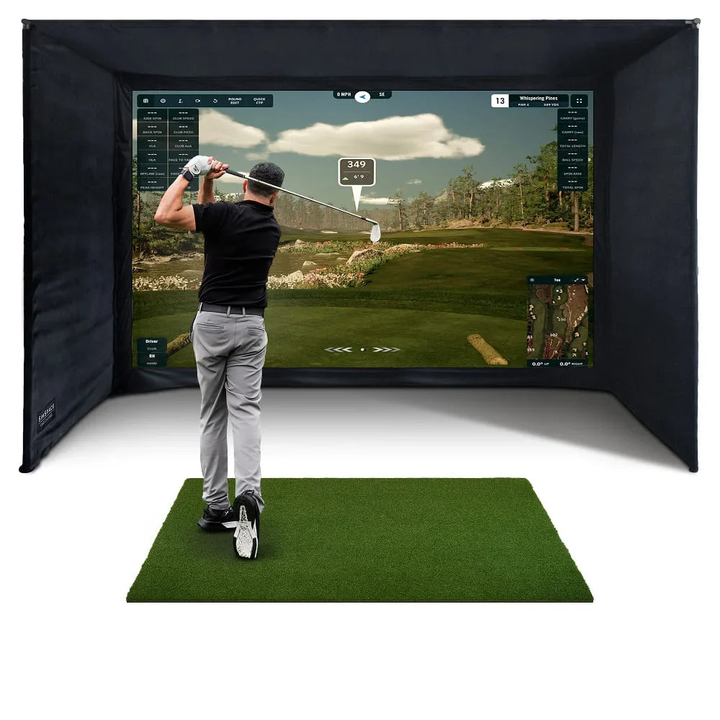
A golf cage or net, a mat, a Square Golf or MLM2PRO and this screen on its stand is a complete range bay. Nothing needs a wall. The whole display is on the stand beside you, and the battery means a garage with the only socket by the door still works for a session. If you are starting with a golf cage and plan to add the projector and enclosure later, this is a sensible first screen.
3. The readable data screen beside the mat
Ball speed, launch angle and carry on a 21.5in panel at waist height beat the same numbers on a phone propped against a tee box. In portrait it shows a shot list; in landscape it shows the dispersion view. In our experience the number buyers squint at most is carry distance, and a screen this size makes that a glance rather than a walk.
4. The bay that moves
Event hire, a coach moving between bays, a club fitting room shared across the day. A battery-powered screen with a stand, no PC and no cables suits anything that gets set up and packed down. SimSpace's 0 to 40°C operating range is worth noting here: an unheated barn in January can sit below that.
Between sessions, SimSpace says it also runs media apps from Google Play. Think of YouTube swing tips while the kettle boils, not a second television.
Getting the picture onto the projector
You cannot run an HDMI cable from this screen. SimSpace's answer is wireless casting: the screen mirrors to a suitable wireless dongle plugged into the projector's HDMI input. The BenQ AH500ST we fit in our room packages has that input, so the hardware route exists.
Mirroring is a wireless hop and it mirrors the whole screen, so projector and touchscreen show the same picture. I recommend testing that link in your own room before you lean on it for a full round, and keeping the screen itself as the display you trust. If a wired, lag-free picture on the big screen is what you are after, the launch monitors that give it are the Garmin Approach® R50 with its HDMI output and the PC-based units in the table above.
The specs that decide it
- 3 GB RAM and a Cortex-A75/A55 chip. Enough for 2D app screens and shot data. The makers' floors above tell you where 3D course rendering starts to need more.
- 200 to 250 cd/m² brightness. Fine in a garage with the lights on. Not a screen for a patio in July.
- 18,000 mAh battery. SimSpace does not publish a runtime, so we will not guess at one.
- Two 3 W speakers and a microphone. App sounds come out of the screen, so there is nothing else to wire. Our Sim Buyer Docs on golf simulator sound and TV cover the bigger-room options.
- USB-C with OTG as the only port. Charging and accessories, not video. This is the line in the spec sheet to read twice.
If your room runs a PC, buy a different screen
A GSPro, E6, Foresight or Uneekor room needs a touchscreen monitor: HDMI or DisplayPort for the picture and a USB cable for the touch. That is a different product. The GolfBays 24in 4K touchscreen monitor and the Hannspree 21.5in touchscreen monitor are the two we would point a PC owner at, and both sit in our golf tech collection alongside the SimSpace. Same size, opposite job. Mixing them up is the mistake we most want this article to prevent.
Our verdict
Buy the SimSpace 21.5in touchscreen if your launch monitor is a Square Golf, a Square Golf OMNI or a Rapsodo MLM2PRO and you want the app off your phone and onto a proper screen at the bay. It is a tidy, cable-free way to run those units, and a complete practice bay when paired with a cage. Pay for a touchscreen monitor instead if there is a PC in the room, and skip it altogether for an R50 or an R10.
Reasons to buy
- Runs the Square Golf and Rapsodo apps on a 21.5in touch panel with no PC
- Battery, Wi-Fi 5, Bluetooth 5.0 and speakers built in, so the bay needs one plug or none
- Rotating, swivelling stand that puts the screen at tapping height in portrait or landscape
- A complete practice bay with a cage or net before you own a projector
Reasons to think twice
- No HDMI in or out. It cannot be a monitor for a PC, laptop or the R50
- 3 GB RAM sits below FlightScope's and SkyTrak's published Android minimums
- Projector output is wireless casting only, which we would test before trusting
Choose it if you own or are buying a Square Golf, OMNI or MLM2PRO and want a fixed, phone-free screen at the bay.
Look elsewhere if your room has a PC, your launch monitor is a Mevo Gen2, SkyTrak or Garmin, or you need a wired picture on the projector.
Frequently asked questions
Can I plug my PC or laptop into the SimSpace touchscreen?
No. The only port is USB-C with OTG, and SimSpace states it cannot be wired to a PC, laptop or projector. For a PC room you need a touchscreen monitor with HDMI or DisplayPort and a USB touch cable.
Does it work with the Garmin Approach® R50?
Not in any useful way. The R50 has its own touchscreen for set-up and Home Tee Hero, and an HDMI output for a projector or TV. There is no Garmin app to put on this screen for the R50, and the screen cannot take the R50's HDMI picture.
Can it replace my phone for Square Golf?
Yes. The Square Golf app is on Google Play and pairs to the unit over Bluetooth from within the app. Square Golf's third-party page lists the app for Windows, iOS and Android, and publishes no RAM floor for Android.
Will it run GSPro or E6 Connect?
No. GSPro is Windows only and E6 Connect is PC and iOS only. Awesome Golf is the one third-party simulator with an Android app, and it lists Garmin, FlightScope, Rapsodo, Square and Uneekor units as supported on Android.
In summary: this is a Square Golf and Rapsodo screen, and a good one for that job. Everyone else should match the screen to the software first, then the room. If you are unsure which camp you are in, send us your launch monitor model and we will tell you in a line.
Not sure which option fits your space or budget? Message our sim experts on WhatsApp for a free consultation — no obligation.
Ready to plan your room?
Your free Sim Design Masterplan
Tell us your room. Our sim experts take it from there, in four steps:
- Unlimited WhatsApp help from our sim experts
- A discovery call about your room
- Your room designed and walked through in 3D
- A final quote, line by line, walked through with you
Not sure it’ll fit?
Get your free Sim Design Masterplan
Our sim experts design your room to its real dimensions, then price every item. Free, and no obligation.
- Unlimited WhatsApp help from our sim experts
- A discovery call about your room
- Your room designed and walked through in 3D
- A final quote, line by line, walked through with you




Leave a comment