

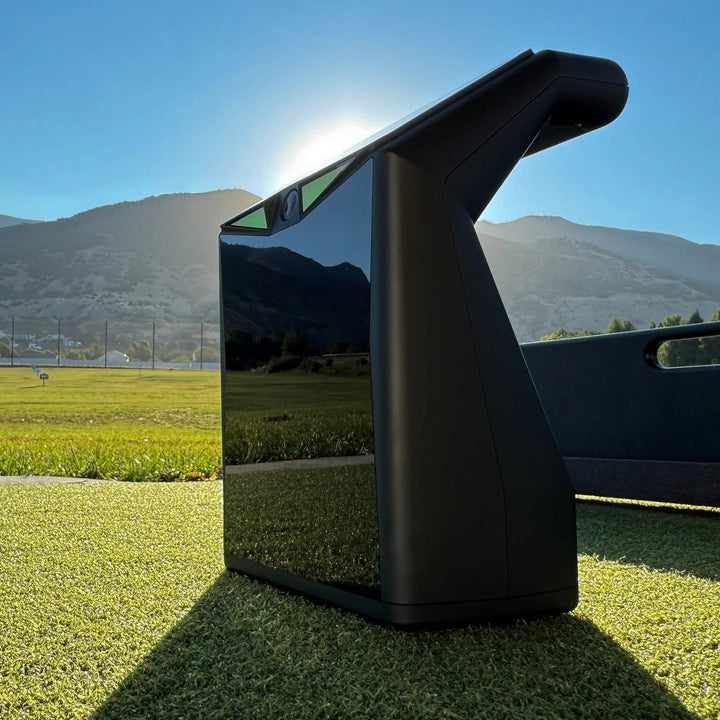
The SkyTrak ST MAX is SkyTrak's newest launch monitor and the SkyTrak+ is the model it builds on. Both pair a photometric camera with dual Doppler radar and sit beside the ball. Per SkyTrak, the ST MAX adds a hitting zone twice as wide, Speed Training with GOLFTEC, dual USB ports and a year of Core membership. For most home rooms, I'd buy the ST MAX.

We sell both, so this is about which one suits you rather than which one to avoid. The specifications come from SkyTrak's own product pages and the ST MAX user guide, read in October 2026. Where SkyTrak's pages and its manual disagree, I've said so.
What's the same
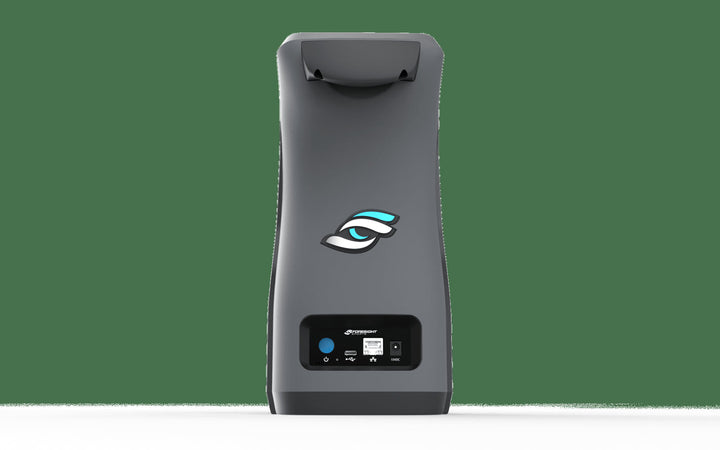
Put the two side by side and they look like the same unit in a different colour, and SkyTrak's spec tables bear that out. Both measure 6.875 in high, 5.75 in wide and 2.5 in deep and weigh 1.7 lb. Both list "photometric camera" and "dual Doppler radar" as the technology. A photometric camera photographs the ball as it leaves the club; the radar adds club tracking. Both connect over 2.4 GHz Wi-Fi to your home network or directly to your device, and both carry SkyTrak's warranty of 6 months or 25,000 shots, whichever comes first.
The ball data list is identical: carry distance, total distance, ball speed, back spin, side spin, descent angle, side angle, launch angle and shot shape. Both run SkyTrak's own app, with course play and the deeper practice tools on a SkyTrak membership.
What the ST MAX adds
| SkyTrak+ | SkyTrak ST MAX | |
|---|---|---|
| Technology | Photometric camera and dual Doppler radar | Photometric camera and dual Doppler radar |
| Hitting zone (SkyTrak's figure) | About 2 in × 2 in | About 4 in × 4 in |
| Club data SkyTrak lists | Club head speed, smash factor, club path, face angle | Club head speed, smash factor, club path, face angle, face-to-path |
| Speed Training with GOLFTEC | No | Yes, exclusive to the ST MAX |
| Ports | USB | Dual USB: charge and transfer data at the same time |
| Membership included | Basic features free; paid tiers for more | One year of SkyTrak Core |
| Location in SkyTrak's spec | Indoor and outdoor | Indoor |
| Battery in SkyTrak's spec | About 4 hours | About 4 hours (the manual says up to 5) |
The hitting zone
This is the change I'd notice every session. The hitting zone is the patch where the ball must sit for the unit to read it. SkyTrak gives about 2 in by 2 in (roughly 5 cm square) for the SkyTrak+ and about 4 in by 4 in (roughly 10 cm square) for the ST MAX. A bigger zone means less fiddling to place the ball after every shot, which matters more than it sounds over a bucket of balls.
Speed Training
SkyTrak describes Speed Training, powered by GOLFTEC, as exclusive to the ST MAX: guided drills with measured results to help you build swing speed. If adding club head speed is a goal, it's a reason to choose the newer unit.
Ports and power
The ST MAX has two USB ports, so it can charge and pass data at once. The user guide says a direct USB cable connection to a PC is Windows only. SkyTrak's spec table lists a 4-hour battery for both units, while the ST MAX guide says up to 5 hours on a full charge and asks for a 6-hour charge before first use. Plan on the lower figure for a long session.
Indoor or outdoor
SkyTrak's spec table lists the SkyTrak+ for indoor and outdoor use and the ST MAX for indoor use. The ST MAX guide still recommends a hitting mat for both indoor and outdoor use, so it isn't ruling the garden out. If range use matters to you, ask SkyTrak to confirm before you buy.
Membership and software
The SkyTrak app runs on Windows, macOS, iOS and Android, so a tablet by the mat or a PC driving a projector both work. SkyTrak publishes a list of compatible devices, and it's worth checking yours against it, because the guide notes that not every tablet is supported. Both units do basic practice for free in the app. Course play and the game improvement tools need a paid SkyTrak membership, which SkyTrak sells in Essential, Core and Elite tiers. The ST MAX comes with a year of Core, and SkyTrak asks you to register the unit within 30 days of purchase. Our page on the SkyTrak ST MAX lists what's in the box.
Third-party simulator software is the one area I'd be careful with. SkyTrak doesn't officially list support for GSPro, E6 or Awesome Golf for these units, so if you want one of those, check with SkyTrak first. Our Sim Buyer Docs page on software by launch monitor shows what each unit we sell runs.
How each one sets up in a room
Both sit on the floor beside the ball, not behind you. The ST MAX guide asks you to place the unit parallel to your target line, raised level with the hitting surface, and to put the ball on the red laser dot it projects onto the mat. For the best spin readings, SkyTrak suggests turning a marking on the ball, such as the logo, towards the lens. Alignment sticks help you check the target line.
Because nothing sits behind the ball, a SkyTrak fits our standard room: at least 3.0 m wide, 2.7 m high and 4.2 m long, with a ceiling of 3 m or more ideal. The ST MAX guide gives a minimum unobstructed area of 10 ft by 10 ft and says a safe ceiling height depends on your own height and the length of your club, so measure with a driver in hand. A SimSpace SIM 2 enclosure takes either unit, and our page on launch monitor placement and lighting covers keeping light off the lens.
Both read left- and right-handed golfers, but as with any unit that sits beside the ball, the unit moves to the other side when the other hand steps up.
Who each one suits
The SkyTrak+ suits a golfer who wants SkyTrak's data at the range as well as at home, or who finds a good price on it and doesn't need Speed Training. The ST MAX suits a home room where the unit stays put: the wider zone makes ball placement quicker, and the included Core year covers course play from day one.
Which I'd buy
- Buying new for a home simulator: the ST MAX. The bigger hitting zone and the year of Core make it the easier unit to live with, and Speed Training is a bonus.
- You also want to take it to the range: the SkyTrak+ is the one SkyTrak lists for outdoor use. Check the ST MAX with SkyTrak if that matters.
- You want GSPro or E6 above all: check with SkyTrak first, or look at a unit that lists them.
If you're weighing SkyTrak against a unit that runs a simulator without a tablet or PC, our comparison of the Garmin Approach® R50 and SkyTrak+ is the next read. Our SkyTrak+ review is useful background too, since the ST MAX keeps the same core idea. Both units are on our SkyTrak+ page and ST MAX page with live prices.
Frequently asked questions
What's the difference between the SkyTrak ST MAX and SkyTrak+?
Per SkyTrak, the ST MAX has a hitting zone of about 4 in by 4 in against about 2 in by 2 in, Speed Training with GOLFTEC, dual USB ports and a year of Core membership included. The body, technology and ball data list are the same.
Does the SkyTrak ST MAX need a subscription?
Basic practice works without one. Course play and the game improvement tools need a SkyTrak membership; the ST MAX comes with a year of Core.
Does the SkyTrak ST MAX work with GSPro?
SkyTrak doesn't officially list GSPro, E6 or Awesome Golf support for these units, so check with SkyTrak before buying if third-party software matters to you.
How much space does a SkyTrak need?
The ST MAX guide gives a minimum unobstructed area of 10 ft by 10 ft. For a full simulator we advise at least 3.0 m wide, 2.7 m high and 4.2 m long, since the unit sits beside the ball.
In summary: same body, same camera-and-radar idea, same ball data. The ST MAX's wider hitting zone, Speed Training and included Core year make it the one I recommend for a new home room, unless outdoor use is the priority. If you'd like it drawn into your space, our golf simulators page has the rooms we build around it.
Not sure which option fits your space or budget? Message our sim experts on WhatsApp for a free consultation — no obligation.
Ready to plan your room?
Your free Sim Design Masterplan
Tell us your room. Our sim experts take it from there, in four steps:
- Unlimited WhatsApp help from our sim experts
- A discovery call about your room
- Your room designed and walked through in 3D
- A final quote, line by line, walked through with you
Not sure it’ll fit?
Get your free Sim Design Masterplan
Our sim experts design your room to its real dimensions, then price every item. Free, and no obligation.
- Unlimited WhatsApp help from our sim experts
- A discovery call about your room
- Your room designed and walked through in 3D
- A final quote, line by line, walked through with you




Leave a comment