
Browse the docs
Set up your simulator
How do I set up a Foresight GCQuad golf simulator?
 Tom Hayward, founder of OpenGolfer · Last reviewed · 3 min read
The short answer
Charge the battery, stand the GCQuad upright on a level surface about 56cm (22in) from the hitting area, raised to the height of the mat. Connect it to Foresight Premier on a Windows PC by Wi-Fi, Ethernet or USB-C, which also renews its registration. Align it with the alignment stick each session.
What's in the box
Foresight's GCQuad user manual lists the GCQuad, its removable lithium battery, the power adapter and cable, a USB-C cable, a club marker dispenser and a reflective alignment stick. An Ethernet cable isn't included. If you bought our Foresight GCQuad golf simulator package, the enclosure, impact screen and hitting mat come in separate boxes, with a setup guide. Check your order for the projector and side netting, and note that there's no computer or HDMI cable.
What you need ready
- A Windows PC for Foresight Premier, the course software. Foresight asks for Windows 10 or 11 (64-bit), at least an RTX 3060 Ti, RTX 4060 Ti or RX 6600 XT graphics card with 8GB, a Core i5-12500 processor, 16GB of memory and 20GB of free storage.
- An internet connection the GCQuad can reach, through the PC or an Ethernet cable to your router. Ethernet is a wired network cable.
- A Foresight account, the free login for Premier and Foresight+.
- An HDMI cable (the standard lead that carries picture and sound) from the PC to the projector.
- The supplied power adapter. Foresight warns that any other adapter can damage the GCQuad or its battery.
Where it goes in the room
Our rooms start at 3.0m wide, 2.7m high and 4.2m long. A ceiling of 3m or more is ideal, and I plan on about 2.5m from the ball to the screen.
The GCQuad is a camera unit that sits beside the ball, so it needs no extra length behind you. From Foresight's manual:
- Stand it upright on a level surface about 56cm (22in) from the hitting area.
- If you use a hitting mat, raise it to the same level as the hitting surface.
- On uneven ground, fold out the kickstand at the bottom for stability.
- The centre of the hitting zone is about 56cm (22in) from the front. With club tracking on, the zone is about 36cm by 36cm (14 by 14in); ball only, it's about 46cm by 36cm (18 by 14in).
- Avoid humid, smoky or dusty rooms.
Step-by-step setup
- Fold out the kickstand, slide the battery in and press it until it locks. Charge it with the supplied adapter.
- Press and release the power button. The start-up screen shows battery, serial number and firmware, and takes about 30 seconds. The light blinks green when it's ready to track.
- If you're left-handed, press the left-handed tracking key on the screen.
- Install Foresight Premier on the PC and sign in.
- Connect the GCQuad to the PC. Foresight's support page lists Wi-Fi, Ethernet and USB-C.
- Let it register. Whenever it connects to Foresight's PC software with the PC online, registration renews. Plugged straight into your router by Ethernet, it renews in about 45 to 60 seconds.
- Apply club markers with the dispenser. Clean the face first. Four markers give the full club data; one gives club speed, smash factor, attack angle and path.
- Align it. Lay the alignment stick in the hitting zone pointing at your target and step away. After a few seconds both lights turn yellow and it beeps. You can adjust up to 10 degrees.
Connect to the projector
The PC sends the picture, not the GCQuad. Plug the HDMI cable into the PC's graphics card and into the projector's HDMI input, and select that input on the projector. Then press the Windows key and P together and choose Duplicate or Second screen only.
First-shot check
Open the range in Premier and place a ball. The screen shows where the ball is against the hitting zone. A slow blink means no ball is seen, a rapid blink means it's outside the zone or there's more than one ball, and a solid light means it's ready. Green means club and ball tracking, blue means ball only.
Playing courses
Foresight+ covers the GCQuad, and the membership belongs to your account rather than the unit. These are Foresight's prices, in US dollars:
- Free: core data in the app and Premier.
- Silver: $199 a year. Gold: $599 a year, which adds third-party software such as GSPro.
- Course Pass: $295 a year for 35 courses. Course Pass Pro: $595 a year for 111 courses. Both need Silver or Gold.
New devices come with a 30-day trial of Foresight+. If you already own FSX, Foresight says it keeps working.
The three things that most often go wrong
It stops talking to the PC
The GCQuad needs its registration renewed every 45 days. If it lapses, USB, Ethernet, Wi-Fi and Bluetooth are blocked until it renews, though it still works on its own screen. Connect it to Premier with the PC online, or plug it into your router.
Shots go left or right of where they should
Alignment resets every time it's switched off. Put the alignment stick down again at the start of each session.
The battery won't hold its charge
Foresight asks you to discharge the battery fully and recharge it at least once a month, even if the GCQuad runs on mains power. Skipping this can shorten its life, and a replacement is at your cost.
Official help from Foresight
- GCQuad support page, with the Wi-Fi and Ethernet guides and firmware
- GCQuad user manual (PDF)
- Foresight Premier and Foresight+ plans
Setup at a glance
| Step | What you do | Time |
|---|---|---|
| 1 | Battery in; charge with the supplied adapter | Before first use |
| 2 | Power on; wait for the blinking green light | 1 min |
| 3 | Install Premier on the PC and sign in | 30 min |
| 4 | Connect by Wi-Fi, Ethernet or USB-C; let it register | 5 min |
| 5 | Club markers on each club face | 15 min |
| 6 | Upright, level, 56cm from the hitting area, at mat height | 3 min |
| 7 | Align with the stick; HDMI from PC to projector | 5 min |
| 8 | Solid light, hit | 1 min |
Times are my estimates. Distances and steps are from Foresight's GCQuad user manual and support page. Registration must renew every 45 days, and alignment resets at power-off.
Best practice
- Align every sessionAlignment resets when the GCQuad turns off. Put the alignment stick down at the start of each session.
- Keep it registeredConnect it to Premier with the PC online, or plug it into the router. Registration lasts 45 days.
- Use four markersFour club markers give face angle, loft and lie as well as speed, attack angle and path.
- Cycle the battery monthlyForesight asks for a full discharge and recharge at least once a month, even on mains power.
- Store it without the batteryForesight says to switch it off and take the battery out before storing it in its case.
Gotchas to avoid
- The 45-day blockIf registration lapses, USB, Ethernet, Wi-Fi and Bluetooth are blocked until it renews. It still works on its own screen.
- No Ethernet cable in the boxThe manual lists the Ethernet port but not the cable. Buy one if you want a wired link.
- Wrong adapterForesight warns that any other power adapter or charger can damage the GCQuad or battery, or cause a fire.
- GSPro needs GoldThird-party software such as GSPro sits in Foresight+ Gold ($599 a year), plus the GSPro subscription itself.
Our recommendation
The GCQuad is quick to place and needs no space behind you. Keep it registered, align it each session and plan for a Windows PC.
- If you want practice and data only
- Use the free Foresight+ tier after the 30-day trial.
- If you want courses at the lowest cost
- Choose Silver plus Course Pass, $494 a year.
- If you want GSPro
- You need Foresight+ Gold plus a GSPro subscription.
What you'll need
 The complete GCQuad setupForesight GCQuad Home Golf Simulator Bundle | UKThe GCQuad with a SimSpace enclosure, impact screen and hitting mat.from£17,949
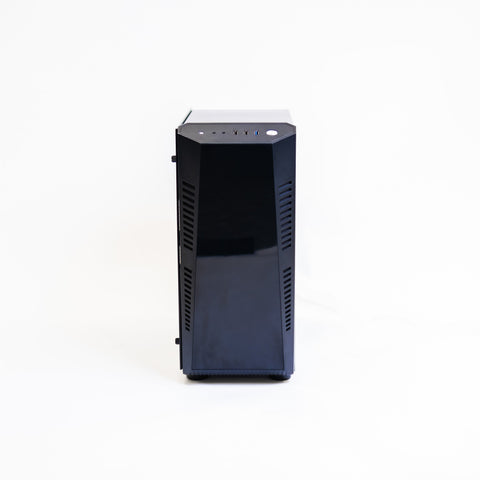 The PC Premier needsGolf Simulator Gaming PC (HD Spec)Premier is Windows only. This PC has an i7-12700KF and RTX 5060 Ti 8GB.£1,790
 The HDMI cable4K/8K HDMI 2.1 Cable 10mNot included. 10m runs from the PC to the projector.£29.99
Questions people ask
How far from the ball does the GCQuad go?
Foresight's manual says about 56cm (22in) from the hitting area, standing upright on a level surface and raised to the height of the mat. It sits beside the ball, so it needs no space behind you.
Why does it need the internet?
Its registration must renew every 45 days. It renews whenever it connects to Foresight's PC software with the PC online, or when it's plugged into your router by Ethernet. If it lapses, its connections are blocked until it renews.
Do I need a PC?
For course play on a projector, yes. Foresight Premier runs on Windows 10 or 11 (64-bit), and the PC sends the picture to the projector through an HDMI cable.
Does it work left-handed?
Yes. Press the left-handed tracking key on the GCQuad's screen. The light shows which mode it's in.
What does the software cost?
Foresight+ Free costs nothing. Silver is $199 a year and Gold $599 a year. Course Pass is $295 a year and Course Pass Pro $595 a year, both needing Silver or Gold. New devices get a 30-day trial.
Still unsure? Ask our experts about this page on live chat or WhatsApp. Send your room size and he’ll tell you straight.
Ask an expertGo deeper

Planning a home simulator? Get the Sim Buyers email.
Twice a week from our sim experts: what's new in our buyer guides and docs, launch monitor and software news, and early offers.
Tuesdays and Fridays. Unsubscribe any time.