
Browse the docs
Set up your simulator
How do I set up a Uneekor EYE MINI golf simulator?
 Tom Hayward, founder of OpenGolfer · Last reviewed · 4 min read
The short answer
Plug it in, set its Wi-Fi to Station and Ethernet to Static, then run the supplied Ethernet cable straight into your Windows PC. Make a my.uneekor.com account and install EYE MINI through Uneekor Launcher, which calibrates it. Stand it beside the ball, level with the mat, parallel to the target line.
What's in the box
Uneekor's EYE MINI user guide lists the EYE MINI, a power cable, a Cat 6 Ethernet cable, one set of club stickers (20 sheets), sticker tweezers, a rubber stopper and an alignment rod. If you bought our Uneekor EYE MINI golf simulator package, the enclosure, Tee Turf hitting mat and the BenQ AH500ST short-throw projector with its floor case come in separate boxes, with a setup guide. Side netting is an add-on. The package doesn't include a computer or an HDMI cable.
EYE MINI or EYE MINI LITE?
They're two different units. The EYE MINI has its own E-Ink display (a low-power screen like an e-reader), so it also works on its own at the range or with an iPad. The EYE MINI LITE has no display: it's a camera unit wired to a Windows PC by Ethernet, and a green Uneekor logo on the front tells you the ball is in the zone. The LITE also asks for a licence key from your order email during installation. Placement and stickers are the same for both.
What you need ready
- A Windows PC. Uneekor's recommended spec is Windows 11, an Intel Core i7 (12th gen or later) or AMD Ryzen 7 (5000 series or later), 32GB of memory and an NVIDIA RTX 4070 Ti or equivalent with 16GB.
- Two Ethernet ports on the PC. Ethernet is a wired network socket. Uneekor wants one for the EYE MINI and one for a wired internet connection.
- Broadband of at least 25Mbps for downloads.
- An earthed wall socket near the mat. The EYE MINI runs on mains power through its own adapter.
- An email address for a free Uneekor account at my.uneekor.com.
- An HDMI cable (the standard lead that carries picture and sound) from the PC to the projector.
Where it goes in the room
Our rooms start at 3.0m wide, 2.7m high and 4.2m long. A ceiling of 3m or more is ideal, and I plan on about 2.5m from the ball to the screen.
The EYE MINI is a camera unit that stands on the floor beside the ball, so it needs no extra length behind you. From Uneekor's guide:
- Set it level with the hitting surface. It has a tilt sensor for small differences, but Uneekor still asks for a level, secure surface.
- Align it parallel to your target line using the alignment rod. Don't point it at the target.
- Keep the ball inside the hitting zone, which Uneekor lists as 12in by 8in (30cm by 20cm). Its diagram marks the zone with lines at 8, 12 and 16in (20, 30 and 40cm). The display shows the ball in the zone when it's right.
- Keep it away from radiators and other heat, and out of humid, smoky or dusty rooms.
Step-by-step setup
- Connect the power cable and turn the EYE MINI on.
- Press MENU, go to Settings (option 2) and scroll to page 3.
- Set Wi-Fi to Station (Client) and Ethernet to Static. Press Back twice to save.
- Plug the Cat 6 cable into the EYE MINI and straight into the PC. Uneekor's network help says not to go through a router or switch.
- Create your Uneekor account at my.uneekor.com.
- Open Uneekor Launcher on the PC, choose the Install tab, select EYE MINI and continue.
- Follow the wizard. It asks you to calibrate the launch monitor, take a test shot and install the software.
- Stick club stickers on your clubs. On irons, one sticker goes on the toe side, 7 grooves up, on the smooth part of the face. On drivers and woods, it goes 1in from the toe; the guide gives the groove for each.
Connect to the projector
The PC sends the picture, not the EYE MINI. Plug the HDMI cable into the PC's graphics card and into the projector's HDMI input, and select that input on the projector. Then press the Windows key and P together and choose Duplicate or Second screen only.
The iPad route comes after the PC registration. On the EYE MINI, set Wi-Fi to AP (Access Point) and Ethernet to Dynamic, scan the QR code on its display with the iPad camera and join the EYE MINI network. Then open the VIEW Air app and connect. While it's joined to the EYE MINI, the iPad has no internet.
First-shot check
Open the VIEW range on the PC and place a ball. When the EYE MINI shows the ball inside the hitting zone on its display and both cameras show red lights, it's ready. Hit, and you should see ball and club numbers in VIEW and the shot on the big screen.
Playing courses
Uneekor's Player tier is free with every unit and gives you ball and club data on the VIEW driving range. These are Uneekor's prices, in US dollars, each per unit:
- Pro: $199 a year. Adds third-party software such as GSPro and E6 Connect, and REFINE with 5 courses.
- Champion: $399 a year. Adds REFINE+ with 20 courses and AI Trainer.
So for GSPro you need Uneekor Pro plus a GSPro subscription ($250 a year).
The three things that most often go wrong
Launcher can't find the unit
Check that Ethernet is set to Static and the cable runs straight from the EYE MINI to the PC, not through a router or switch. Restart both and try again.
It isn't detecting balls
Uneekor's fix is to reinstall the firmware through Launcher, use a white ball and recalibrate. Recalibrate after the unit is moved or knocked, after the turf changes and after a month out of use.
Club data is missing or odd
Club numbers need the stickers, in the spots the guide shows. Replace any that are worn, and check the unit is still parallel to the target line.
Official help from Uneekor
Setup at a glance
| Step | What you do | Time |
|---|---|---|
| 1 | Power on; Settings page 3: Wi-Fi to Station, Ethernet to Static | 5 min |
| 2 | Cat 6 cable from the EYE MINI straight into the PC | 2 min |
| 3 | Create a my.uneekor.com account | 5 min |
| 4 | Uneekor Launcher: Install, EYE MINI; calibrate and test shot | 30 min |
| 5 | Stand it beside the ball, level with the mat, parallel to the target line | 5 min |
| 6 | Club stickers on each club | 15 min |
| 7 | HDMI from PC to projector; ball in zone, red lights, hit | 5 min |
Times are my estimates for a first setup. Settings, placement and steps are from Uneekor's EYE MINI user guide. Download time depends on your broadband.
Best practice
- Wire it straight to the PCUse the supplied Cat 6 cable from the EYE MINI into the PC. Uneekor says not to route it through a router or switch.
- Use the alignment rodSet the unit parallel to your target line with the rod. Pointing it at the target throws out path and direction.
- Check the PC before deliveryUneekor recommends Windows 11, 32GB of memory, an RTX 4070 Ti-class card with 16GB and two Ethernet ports.
- Recalibrate after changesRun calibration again after the unit is moved or knocked, after the turf changes, and after a month out of use.
Gotchas to avoid
- One Ethernet port isn't enoughUneekor wants one port for the EYE MINI and one for wired internet. Many PCs have a single port, so check, or plan Wi-Fi internet.
- Third-party software needs ProGSPro and E6 Connect need Uneekor Pro, $199 a year per unit, plus the software's own subscription.
- iPad comes secondYou must register the EYE MINI on a PC through Uneekor Launcher before the iPad and VIEW Air route works.
- No stickers, no club dataBall data works with any ball. Club speed, path and attack angle need the EYE MINI club stickers in the right spot.
Our recommendation
The EYE MINI needs no space behind you and sets up in an hour, but plan the PC and its Ethernet ports before delivery day.
- If you only want range practice
- Uneekor's free Player tier and the VIEW range are enough.
- If you want GSPro or E6 Connect
- Add Uneekor Pro and the software's own subscription.
- If you also want to use it at the range
- Choose the EYE MINI rather than the LITE, which has no display and needs a PC.
What you'll need
 The complete EYE MINI setupUneekor Eye Mini Home Golf Simulator Package for Garage - Complete Setup, UKEnclosure, Tee Turf mat and short-throw projector around the EYE MINI.from£5,690
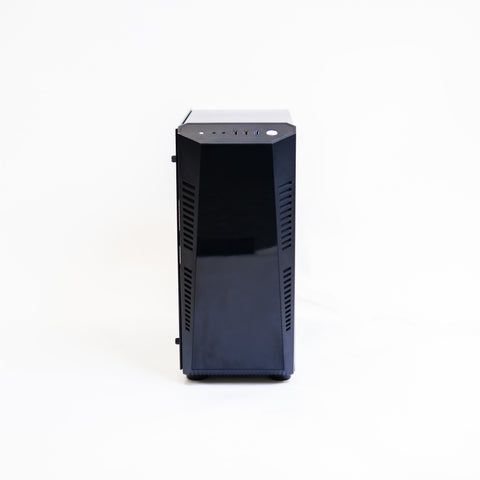 The PC Uneekor's software needsGolf Simulator Gaming PC (4K Spec)RTX 5070 Ti with 16GB and 32GB of memory. Confirm its Ethernet ports with us before you order.£2,590
 The HDMI cable4K/8K HDMI 2.1 Cable 10mNot included in the package. 10m runs from the PC to the projector.£29.99
Questions people ask
Do I need a PC for the EYE MINI?
For a projector, yes. Uneekor's VIEW and REFINE run on Windows, and you register the unit through Uneekor Launcher on a PC first. After that, it also works with an iPad through VIEW Air, or on its own display at the range.
How far from the ball does it go?
It stands beside the ball, level with the mat and parallel to the target line. Uneekor gives a hitting zone of 12in by 8in (30cm by 20cm), and the display shows when the ball is inside it.
What's the difference from the EYE MINI LITE?
The LITE has no display, so it only works wired to a Windows PC, and it needs a licence key during installation. The EYE MINI adds the E-Ink display, stand-alone range use and the iPad option.
Does it run on a battery?
Uneekor's guide describes it running from its power adapter on a 100 to 240V socket, and asks for an earthed outlet. Plan a socket near the mat. Don't cover the unit or the adapter while it's in use.
Can I use my own golf balls?
Yes. Uneekor lists the golf ball as Any, and its Dimple Optix cameras read the ball's dimples. Club data needs the stickers.
Still unsure? Ask our experts about this page on live chat or WhatsApp. Send your room size and he’ll tell you straight.
Ask an expertGo deeper

Planning a home simulator? Get the Sim Buyers email.
Twice a week from our sim experts: what's new in our buyer guides and docs, launch monitor and software news, and early offers.
Tuesdays and Fridays. Unsubscribe any time.